Pet sitting software for drop-ins and overnights
You’ve got the keys. We’ve got the rest. Clients book their whole trip online, pets get a report card after every visit, and invoices go out from one place. Free for up to 5 clients.
Start for free today


The whole trip, in one request
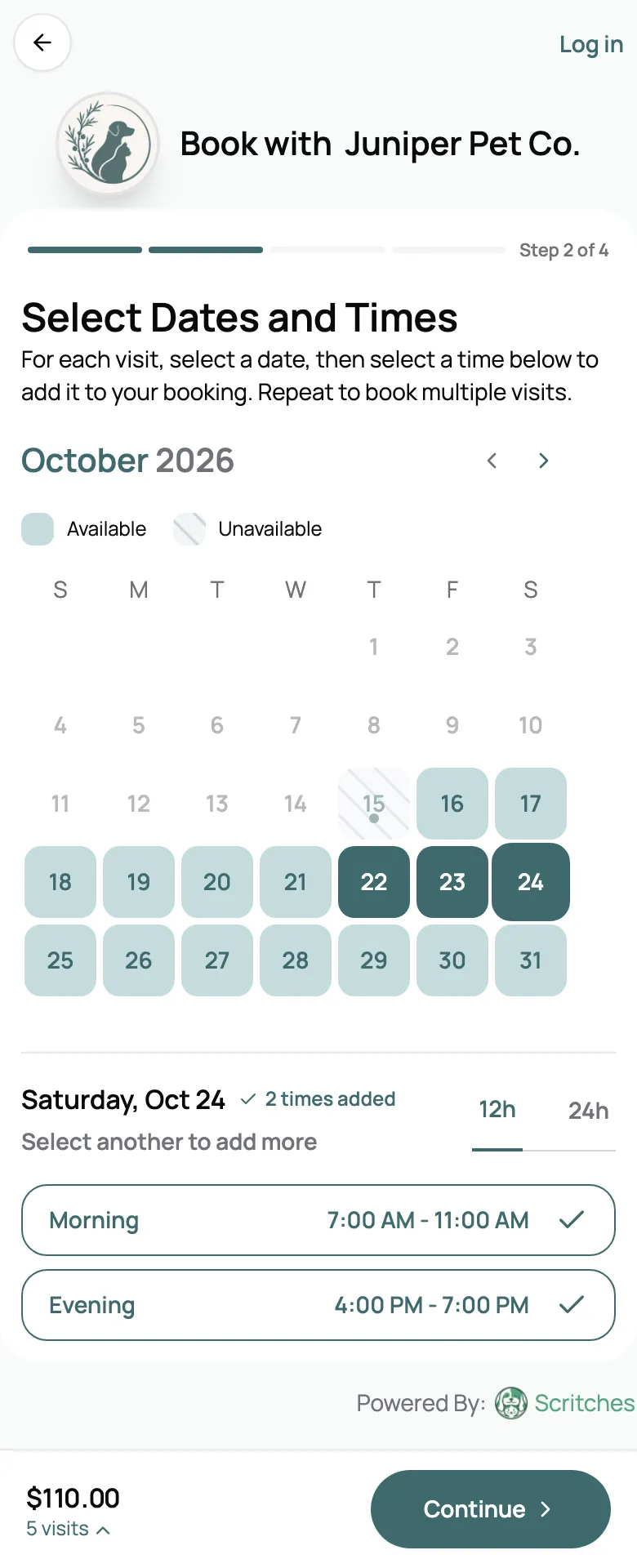
A client heading away for a long weekend shouldn’t have to text you five times. They pick the days, choose a morning and evening visit on each, and send it all as one request. Approve it and every visit lands on your calendar. Overnight stays book the same way: one booking from drop-off to pick-up, priced by the night.
- Clients book windows like Morning, not exact times
- Several visits a day across a trip, in one request
- Overnight stays priced per night, with drop-off and pick-up windows
From meet and greet to the keys
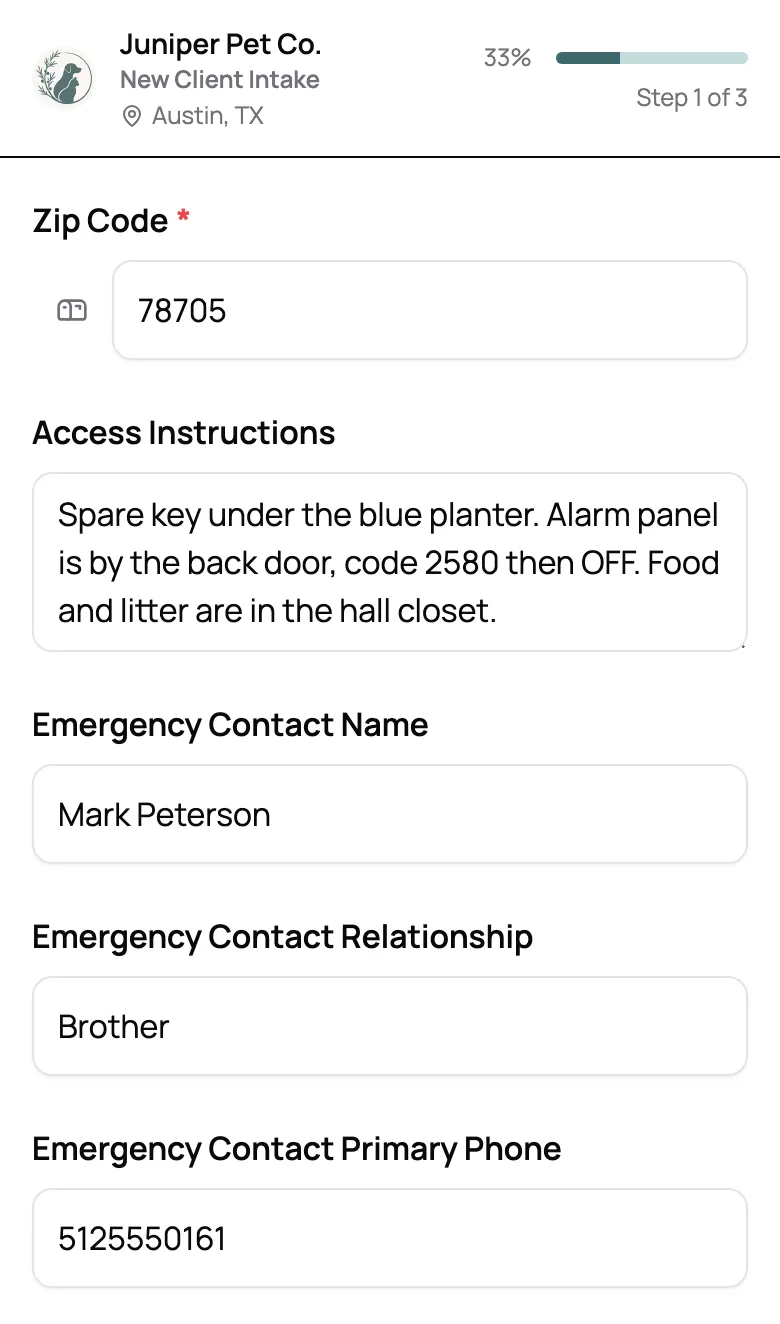
Nobody hands a stranger their house key. Set new clients to book a meet and greet first, and open full booking once you’ve met. When they book online they fill in your intake form, house notes and emergency contact included, and e-sign your agreement. Their answers land on their profile, so the lockbox code is there when you need it.
- New clients book a meet and greet first
- Intake form and agreement, signed online
- House notes and emergency contact on their profile
Holiday weeks without the chaos
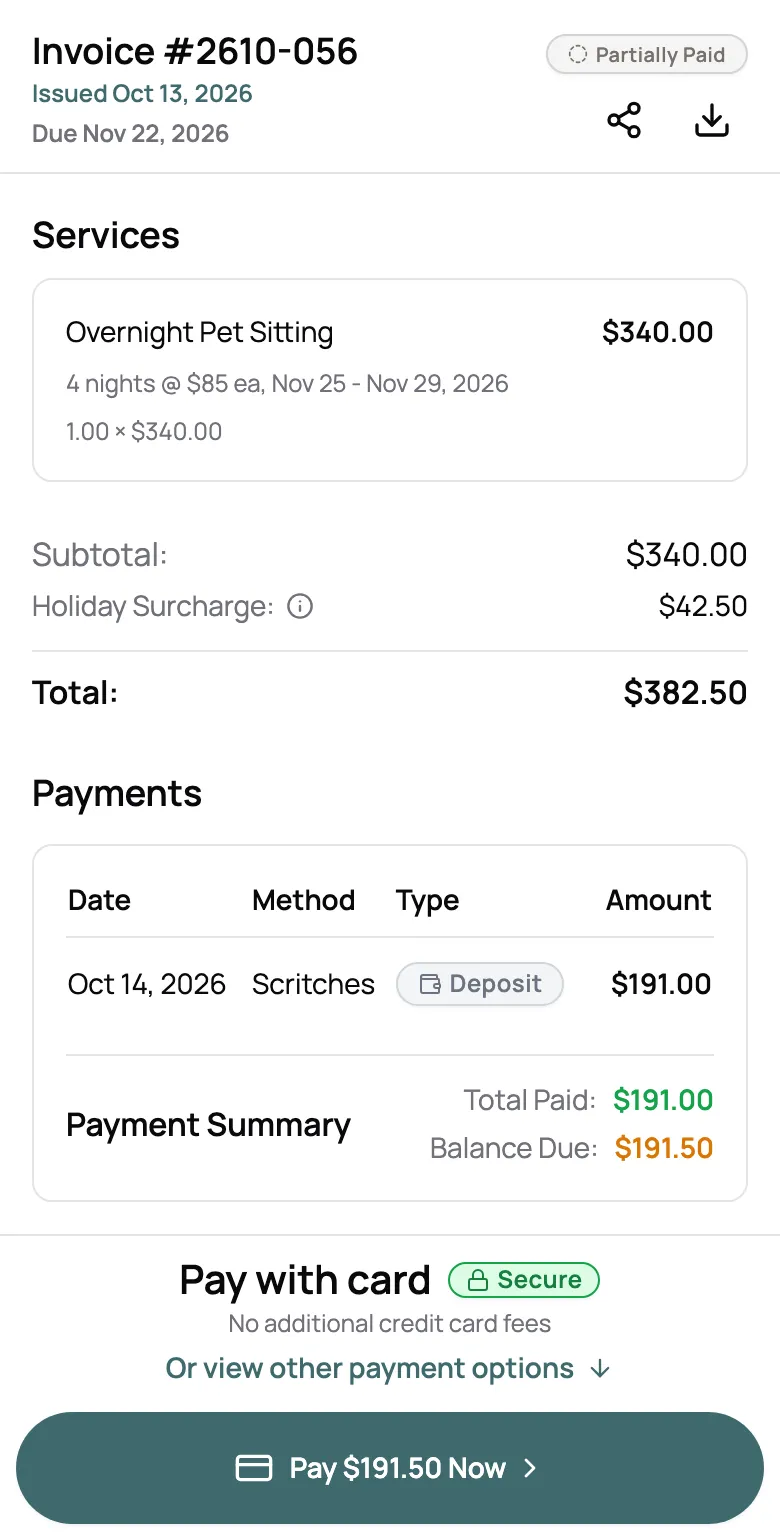
Thanksgiving, the winter holidays, and spring break are when every client books at once. Holiday rates add themselves to the visits and nights that fall on a holiday, a deposit holds the dates, and booking limits close a day once you’re full. Sitting solo? One overnight can close the calendar for that night.
- Holiday and weekend rates, added automatically
- Deposits requested up front
- Limits that close a full day

“Scritches is exactly what I was looking for which was a software that matched my workflow, allowing clients to self-select their meet and greet dates, agree to my policies, fill out their forms, provide report cards and create invoices. It’s sleek and looks so nice and crisp.”

Sara W.
Owner, Aledo Pet Sitting, LLC
The updates they read on vacation
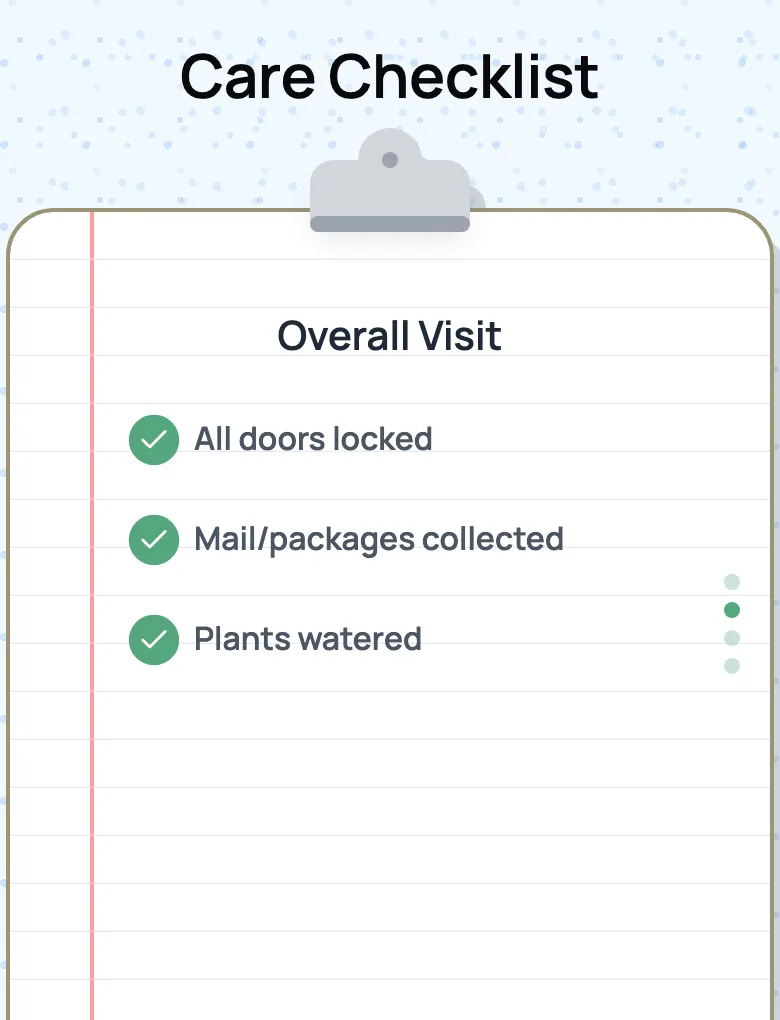
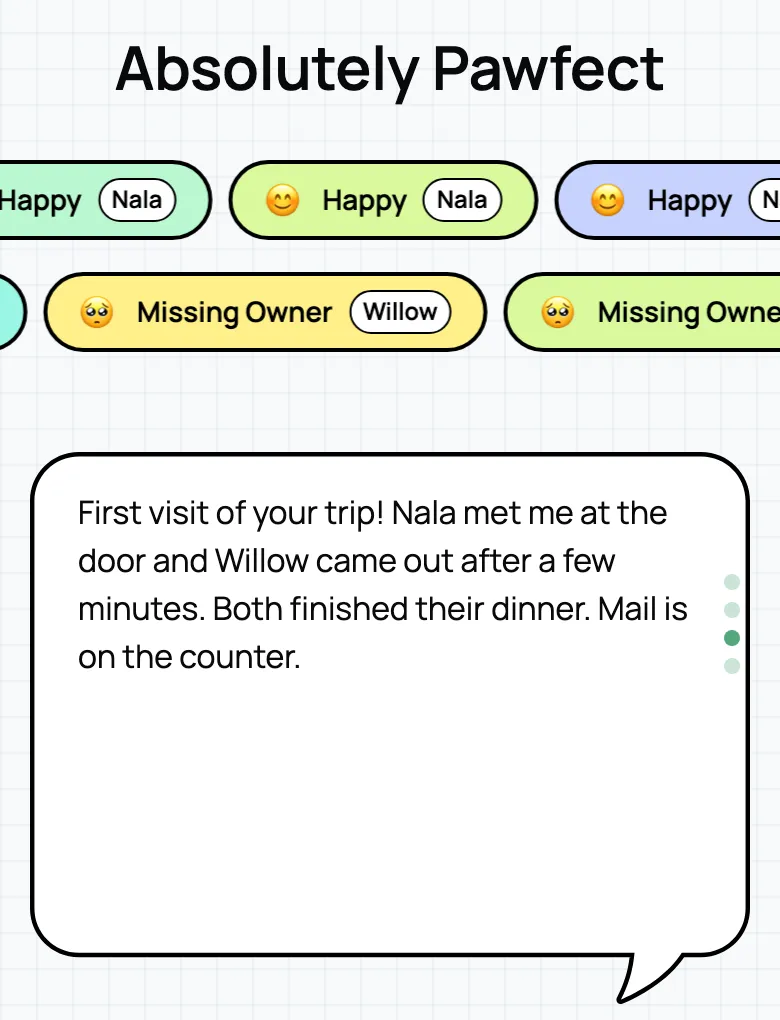
A report card after every visit, with photos, how each pet was doing, and the house checklist: doors locked, mail in, plants watered. Send it by email, or as a link you text from your phone.
See report cards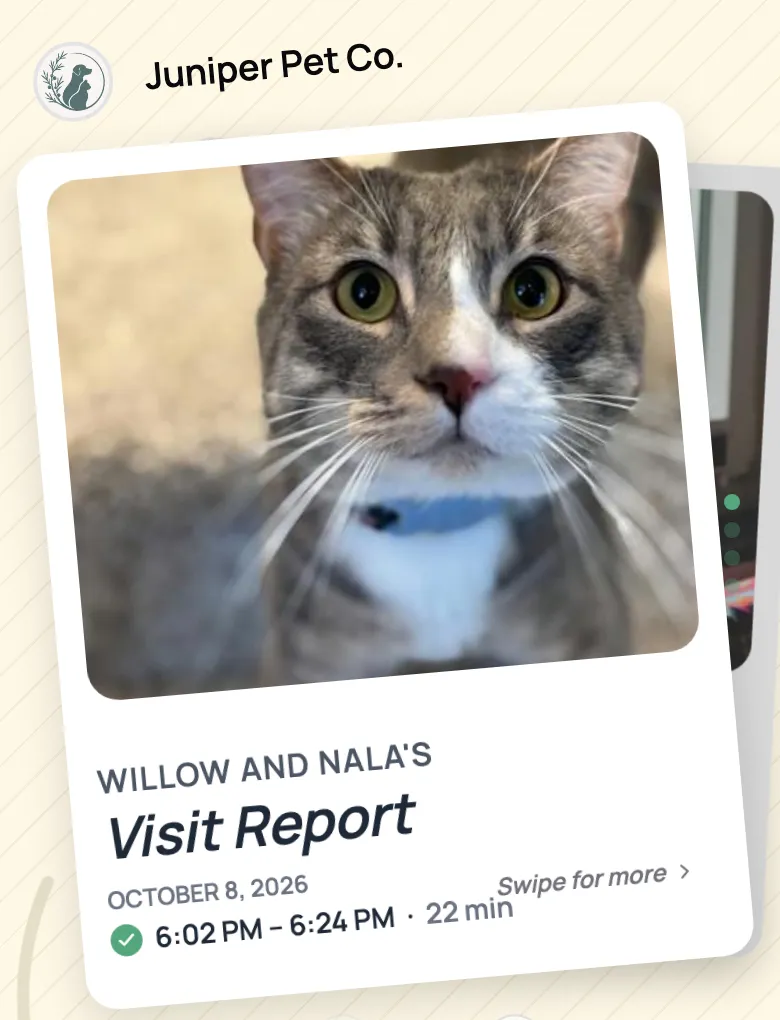
Everything your pet sitting business runs on
Online booking
No-login booking that clients actually enjoy
Client & pet CRM
Everything about every pet, right when you need it
Report cards
Turn every visit into a shareable memory
Scheduling & availability
Block time, set availability, stay sane
Forms & intake
Collect what matters to your business, automatically
Digital agreements
Send contracts for signature and see who has signed
Invoicing & payments
Create invoices, accept payments, and track every transaction
Automated surcharges
Holiday, extra pet, and late pickup fees, applied for you
Custom client rates
Give any client their own price, even when you raise yours
Pet parent portal
One page for clients to see bookings, sign, and pay
Review booster
Get more reviews where it matters, on auto-pilot
Staff management
Assign visits, set permissions, and pay your team right
Frequently Asked Questions
Yes. Scritches has a free Starter plan for up to 5 clients, with no credit card and no time limit. It includes online booking, scheduling, invoicing, and report cards. When you outgrow it, paid plans add unlimited clients and card payments.
Yes. Every service has its own price. Drop-ins are priced per visit, and stays can be priced per night or per day. Extra pets, weekends, holidays, and late pick-ups can each add a fee automatically.
No. Clients book from your booking page in any browser, and new clients can book without an account. To see their bookings, pay, or update their info, they sign in to your portal with a code sent to their email, so there is no password to remember.
Yes. Set online booking to intro visits first, and new clients can only book a meet and greet until you open full booking for them. Every account starts with a free Meet & Greet service you can rename or reprice.
On the client’s profile, in access instructions. New clients fill it in on your intake form, and they can update it from their portal, so it stays current. For details only your team should see, add your own client fields and mark them staff only.
Yes. On paid plans our team imports your clients, their contact details and access instructions, and their pets from a spreadsheet or your old software, for free. Past bookings and invoices stay where they are.
Move to the Growth plan. Each sitter gets their own login and a daily schedule email with addresses and access notes, and you can assign visits or split the nights of one stay between sitters.