
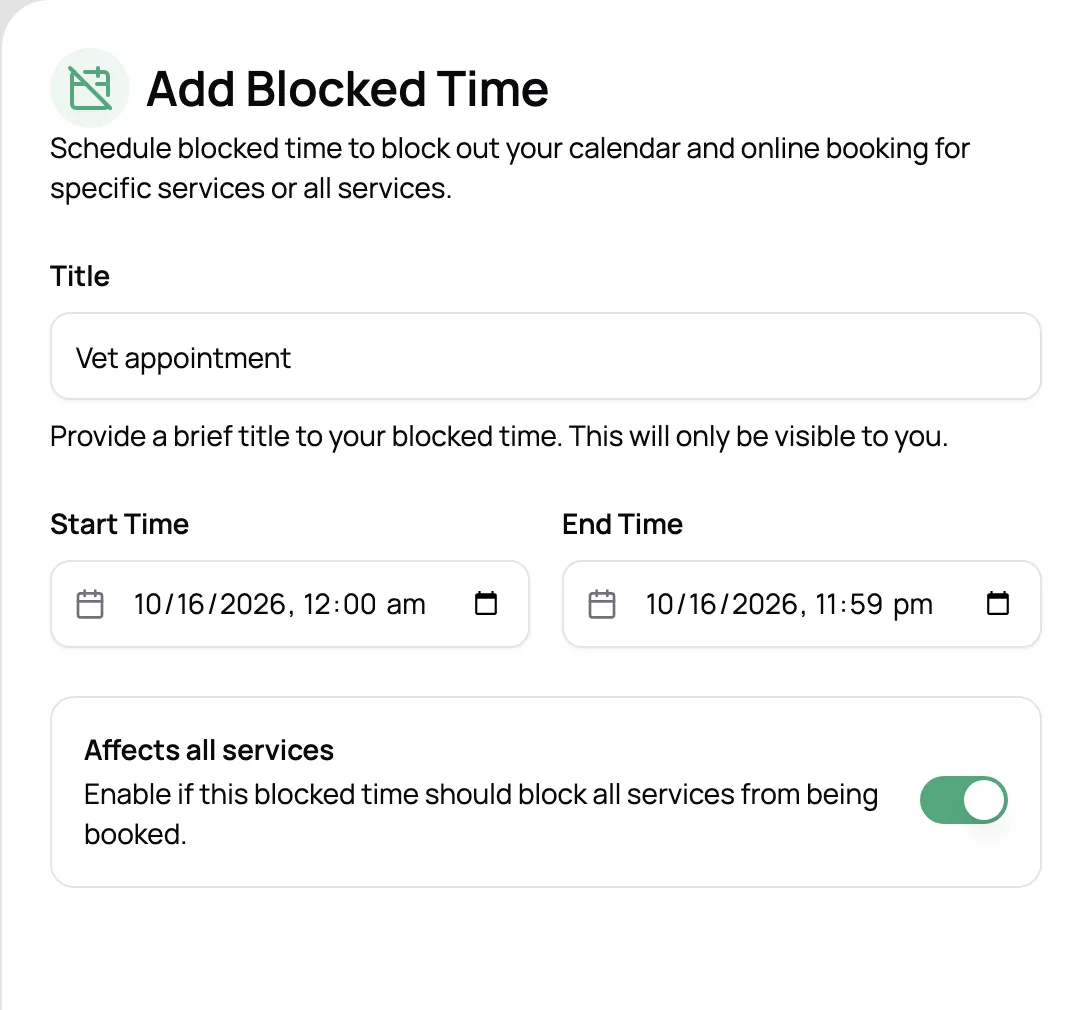
Block off time
Vacations, vet appointments, a day to yourself. Block it once and both your calendar and your booking page respect it.
Set your hours, make room for every visit, and keep your day in view. Pet care scheduling software that works around your real availability.
Start for free today


Let clients request services around your availability. Once you approve a booking, visits land on your calendar with the right dates, times, and services. Spend less time coordinating and more time caring for pets.
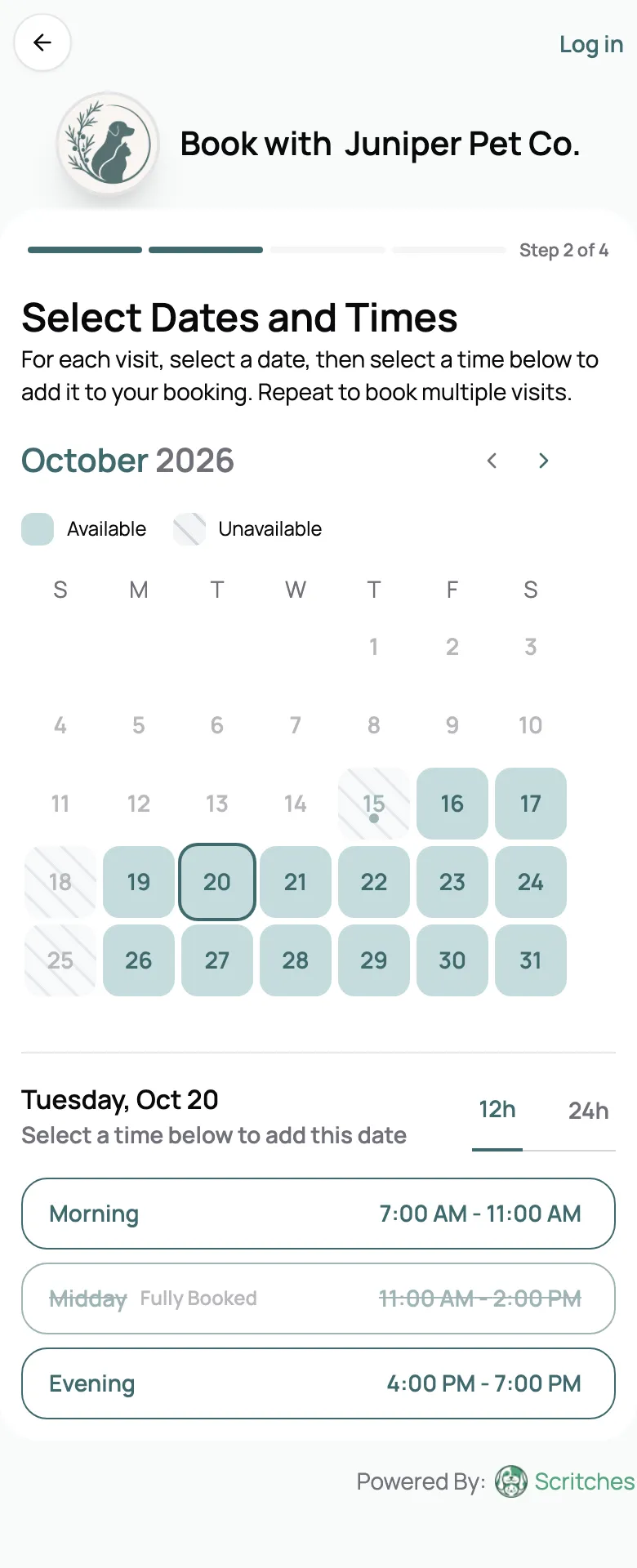
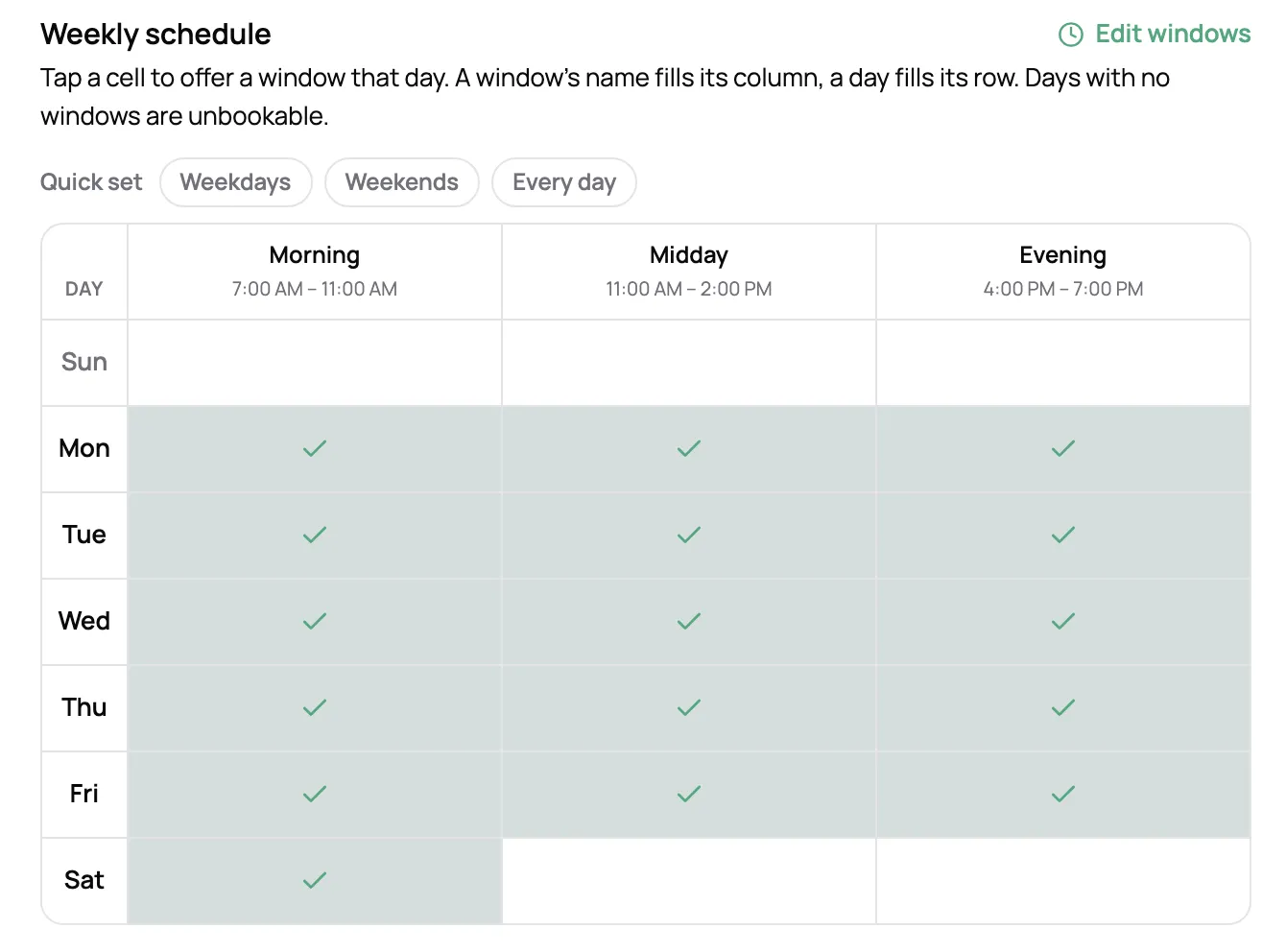
Set your working hours, block off time, and limit bookings by service or time window. Clients choose from the availability you offer, helping you keep each day manageable.
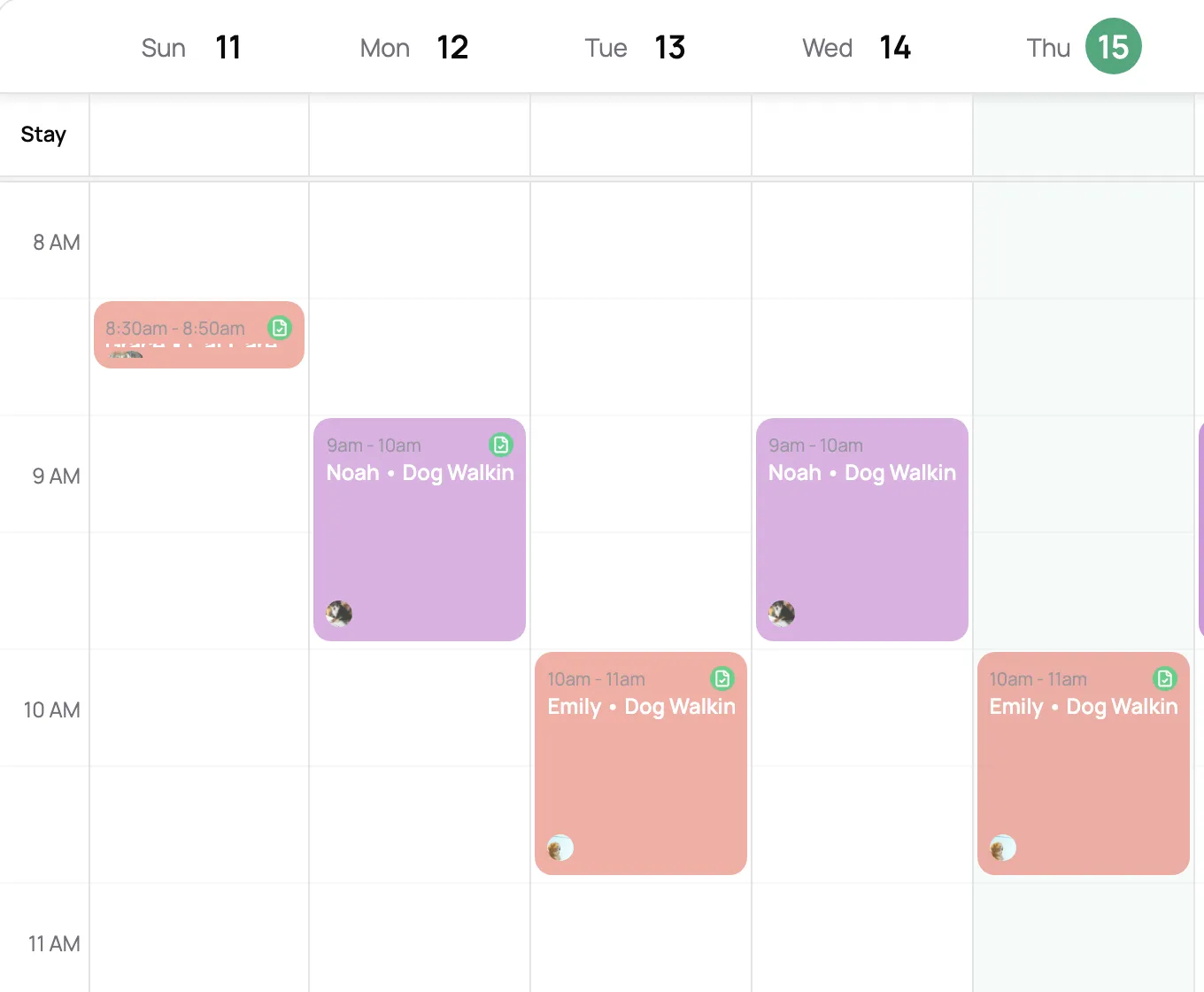
See where you’re going, which pets you’re visiting, and what services are scheduled. Get ready for your next visit without digging through messages or switching between screens.
“It's been extremely easy for clients to request bookings, and for me to limit how many visits per day to take on. In the past, not having that option would at times cause overbooking and a lot of extra work.”

Ashley R.
Owner, Salty Paws Mobile Pet Care
Vacations, vet appointments, a day to yourself. Block it once and both your calendar and your booking page respect it.
Each sitter gets their own lane, so you can see who’s where and how full everyone’s week is.
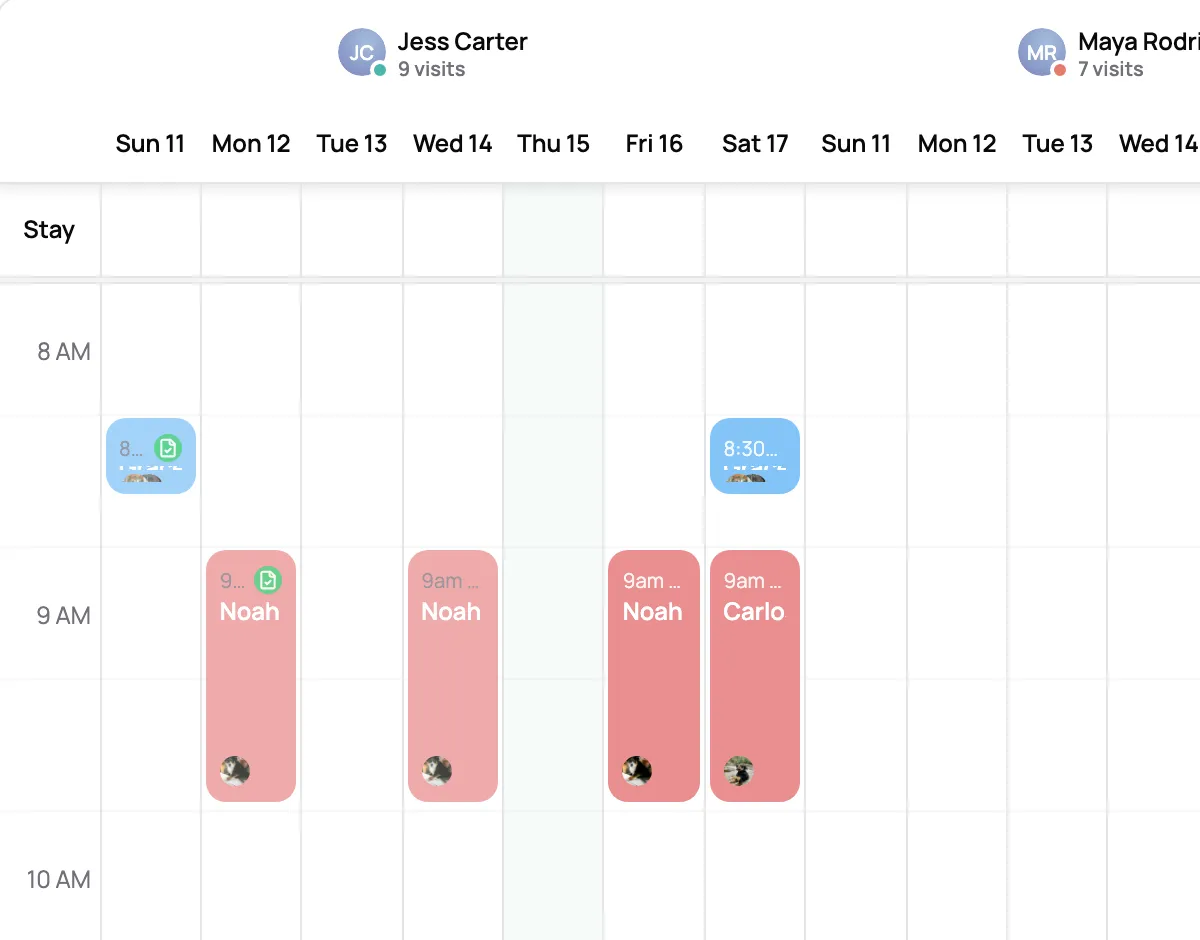
Multi-day stays show as one band across the week, with arrival and departure times.
Walks book into a window. A meet and greet can take an exact start time, like 10:30 AM.
Let new clients book online, or keep your booking page to the regulars you’ve already met.
Set up the clients you see every week once, instead of booking them week after week.
Scheduling is built around your real availability. Once a booking is approved, visits are automatically added to your schedule with the correct dates, times, and services. You always have a clear view of what is coming up without manually entering anything.
Your availability rules are enforced as booking requests come in. If a time slot is already full or outside your working hours, clients cannot request it. This keeps your schedule accurate and avoids overlapping visits.
Yes. Set custom working hours, block off time, and define service windows so clients can request visits that fit your availability.
Service windows let clients request a range of time instead of a specific minute. For example, a client can request a morning window rather than a fixed 9:00 AM visit. This gives you flexibility while still protecting your availability.
Yes. You can define pickup and drop-off time windows for services like boarding, daycare, or overnights. Clients choose from those windows when booking, so expectations are clear and your schedule stays realistic.
Yes. You can sync your Scritches schedule with Google Calendar, Apple Calendar, or Outlook so your visits appear alongside your personal events. This helps you avoid conflicts and stay organized.
Yes. You can set capacity limits for specific services or time windows. Once that limit is reached, those options are no longer available for booking.
Multi-day bookings like overnights or boarding are grouped together so they are easy to manage. Pickup and drop-off times are clearly shown, along with any visits that happen in between.