Overnight stays, split and paid by the night
Give the first nights of a stay to one sitter and the rest to another. Each is paid for their own nights, with their cut of any extended care fee.
Hand out visits, decide what every sitter can see, and let pay add itself up. Staff management for pet sitting and dog walking businesses that have outgrown doing it all themselves.
Start for free today


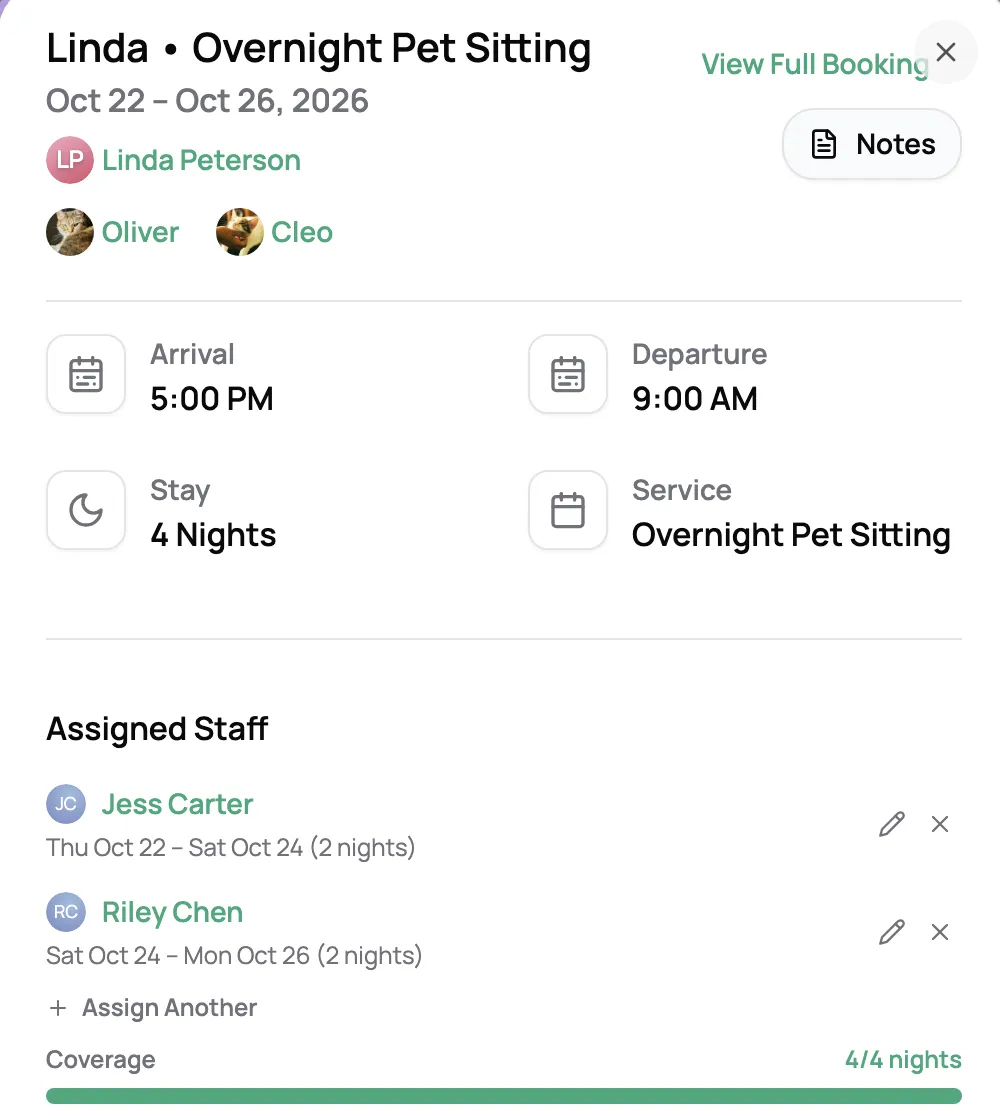
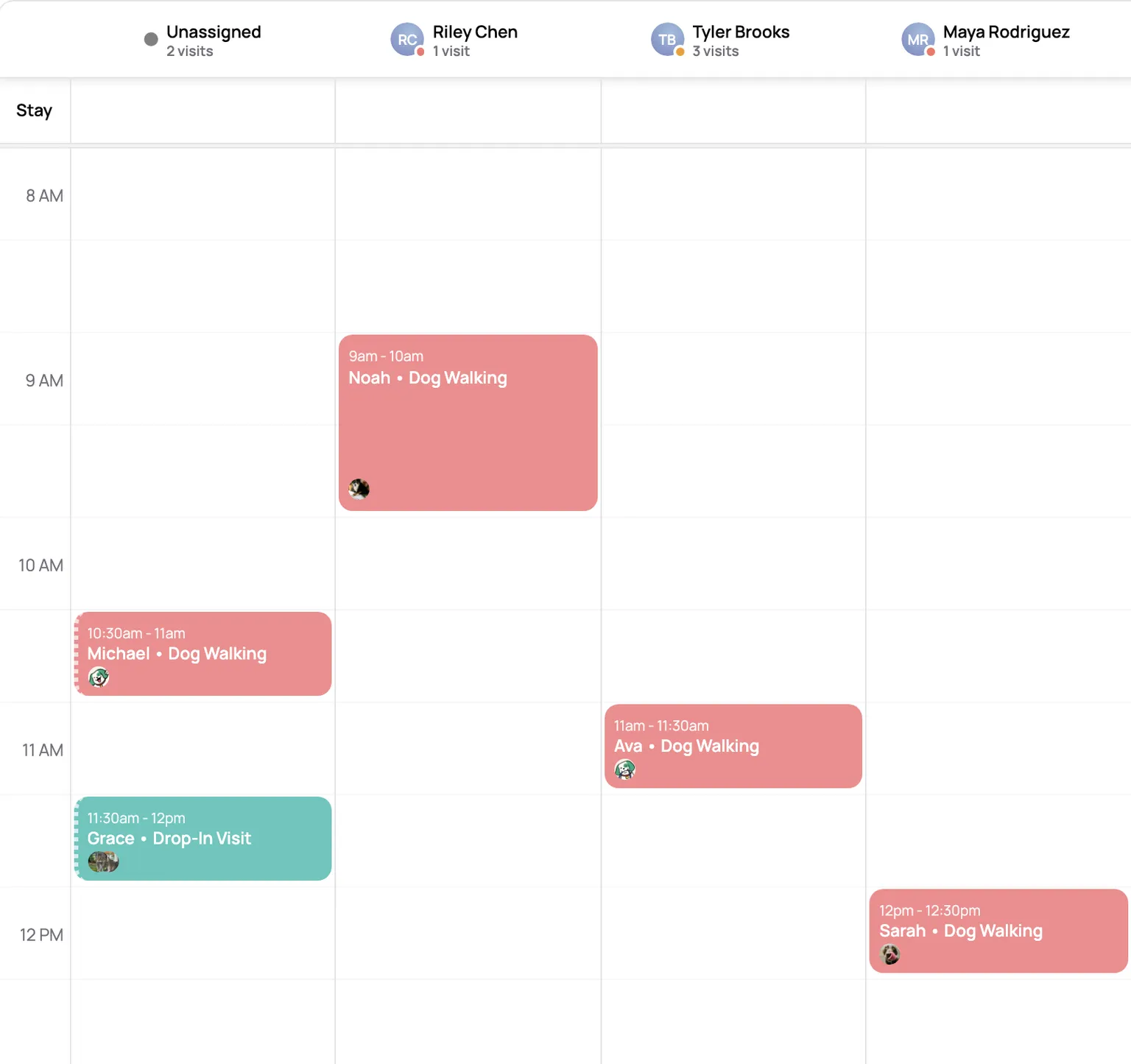
Assign each visit to one sitter or several. Lanes puts your team side by side for the day, and dragging a visit into another sitter’s lane hands it over. Anything nobody has picked up waits in its own Unassigned lane. Overnight stays hand off night by night, and each sitter’s schedule says whether it’s the first night, a middle night, or the last.
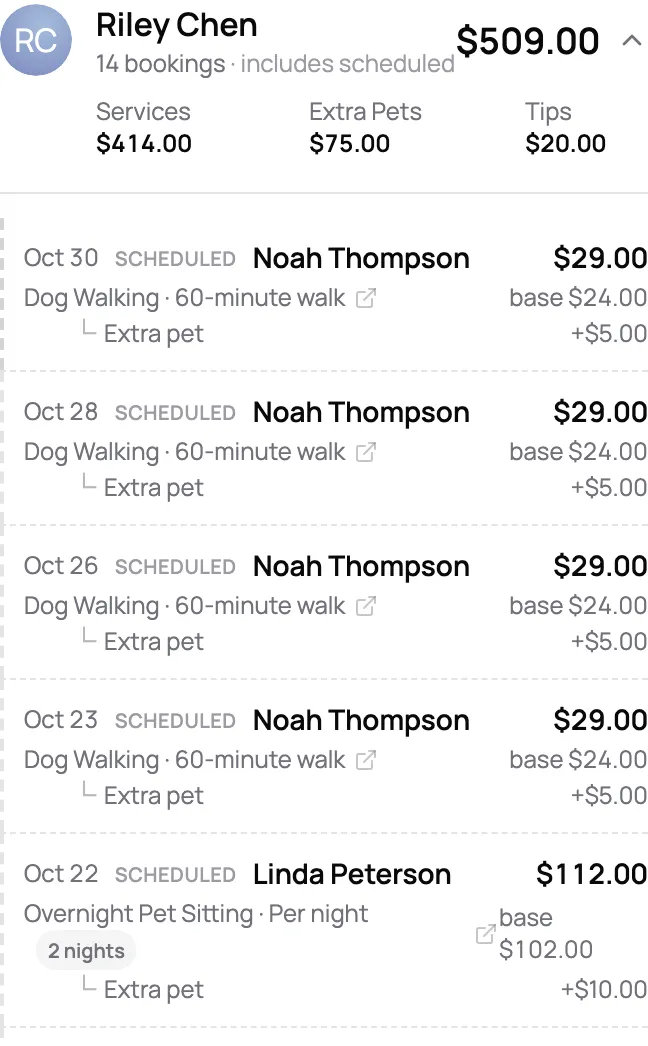
Set what each sitter earns per service, as a flat amount or a percentage of the price, plus their cut of extra-pet, weekend, holiday, and extended care fees. Overnights pay per night, for the nights each sitter actually stayed. Pick a pay period and Scritches totals it from the visits they did, splits each tip across the visits it was paid on, and flags any visit without a rate. Export the totals for your payroll, and download any past export again later.
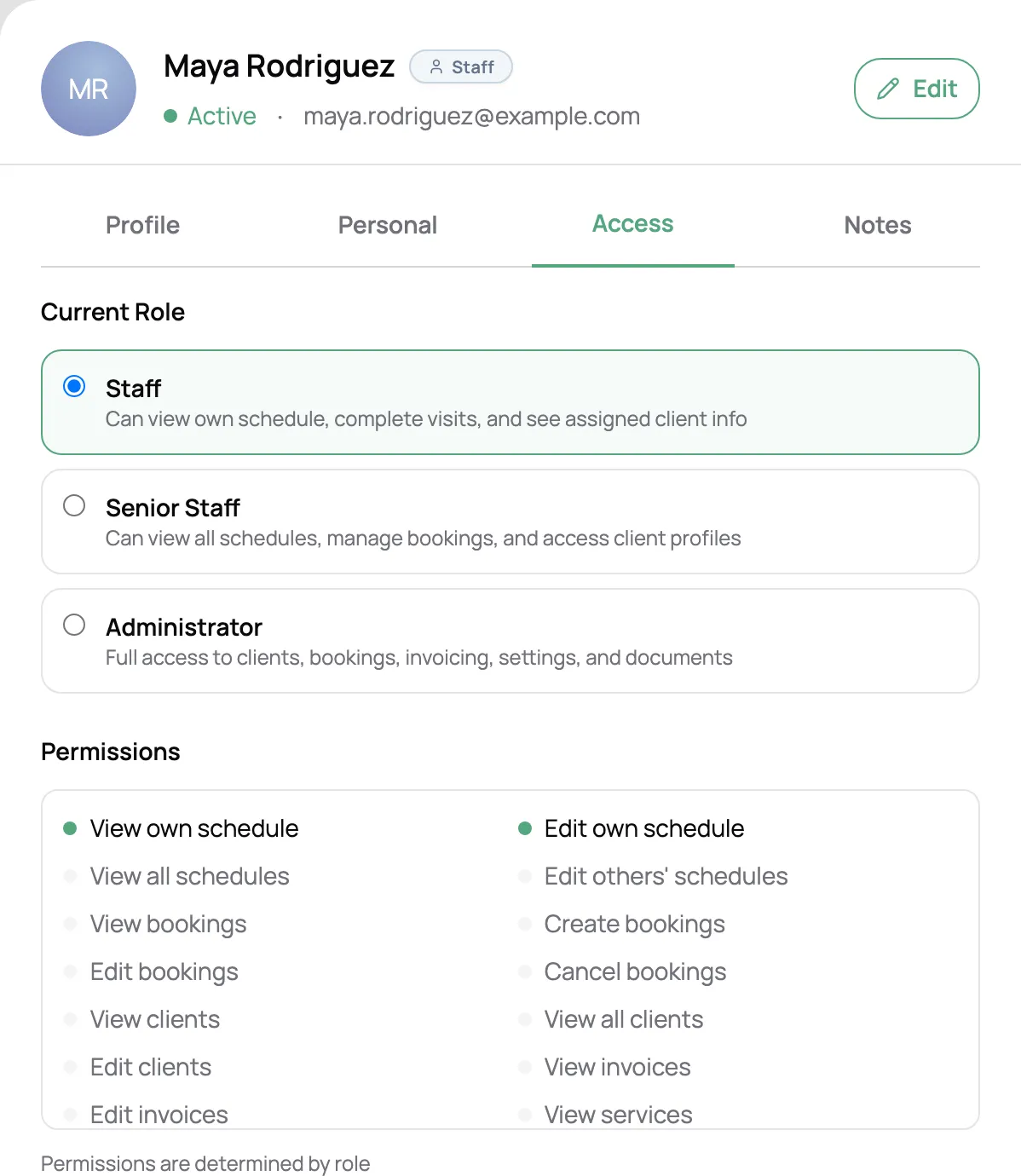
Invite a sitter with a role. Staff see their own schedule and the clients on it, and start, finish, and send report cards for their visits. Senior staff can run the whole calendar and bookings, and Admins can do nearly everything. Your invoices and settings stay with you unless you make someone an Admin, and you can change a sitter’s role any time. Every sitter sees their own pay, never anyone else’s.
Give the first nights of a stay to one sitter and the rest to another. Each is paid for their own nights, with their cut of any extended care fee.
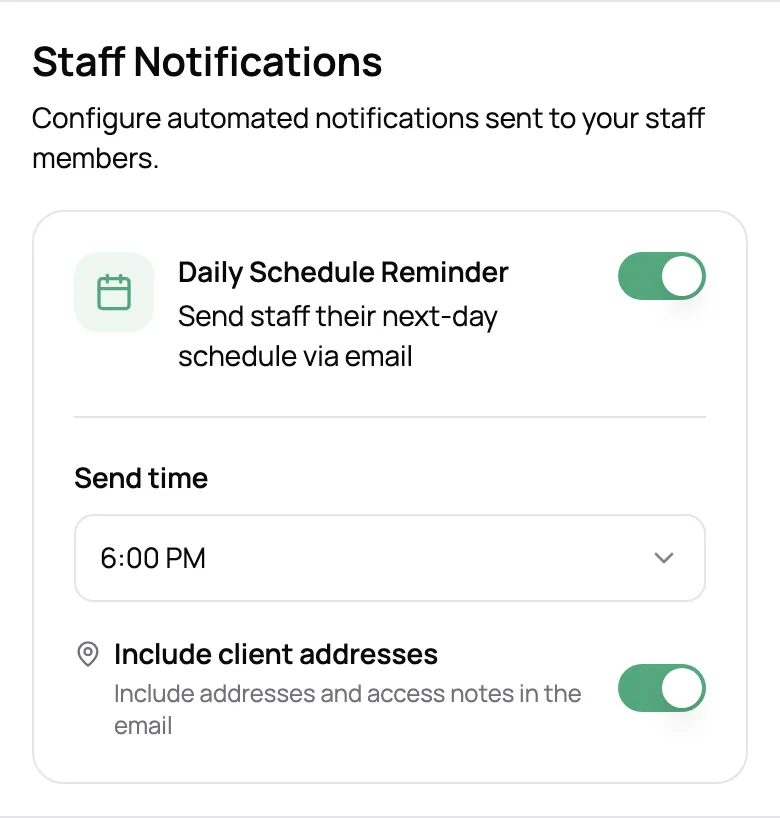
Each sitter gets their visits for the next day at a time you choose, in order, with pets, notes, and if you like, addresses and access instructions.
Put a sitter on the calendar and in your pay reports before, or without, giving them app access.
Set up a new hire in seconds by copying another sitter’s rates.
Archive them and hand their upcoming visits to another sitter in the same step.
Choose which sitters clients see on your booking page, with their photo and bio, in the order you like.
Staff management is part of the Growth plan, which is priced by how many active staff you have. See the pricing page for the current rates.
No. Add a sitter, put them on the calendar, and track their pay without giving them app access. Invite them by email with a role whenever you want them in the app.
Not by default. A sitter with the Staff role sees their own schedule and the clients and pets on it, nothing else. Senior staff can see every schedule and booking, and Admins can see nearly everything. You pick the role for each person and can change it any time.
Set each sitter’s rate per service, as a flat amount or a percentage of the price. Scritches adds up what each one earned for any pay period from the visits they did. You pay them however you do today, and you can export the totals as a spreadsheet for your payroll software or accountant.
When a client tips on an invoice, the tip is split across the visits on that invoice by each visit’s share of the price, so each sitter gets the part for the visits they did.
Yes. Assign the stay’s nights to different sitters, say the first two nights to one and the rest to another. Each is paid per night for the nights they stayed, plus their cut of any extended care fee, and a stay that runs past the end of a pay period is paid for the nights inside it.
Cancelled visits earn nothing by default. If you charge cancellation fees, you can choose to pay sitters their usual share of whatever fee the client paid.
Archive them. Their app access ends, and you can hand all their upcoming visits to another sitter in the same step. Their past visits and pay stay in your reports.