
Fields for how you work
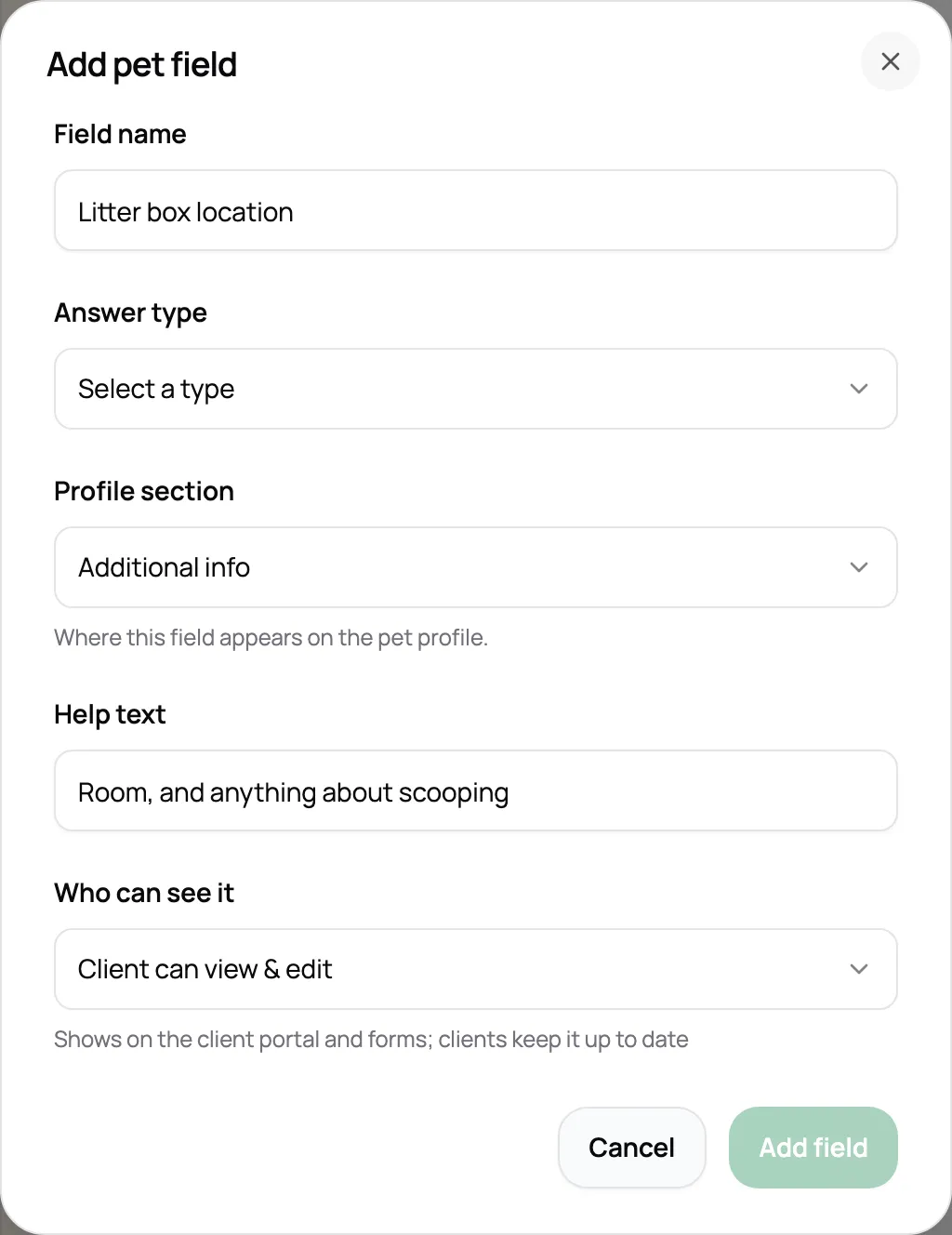
Add the questions your business needs as text, dropdowns, yes or no, or dates. Choose whether clients can see or edit each one.
Every pet’s care notes, every client’s door code, and every vaccine date in one place. A pet sitting CRM that’s ready before your first visit.
Start for free today


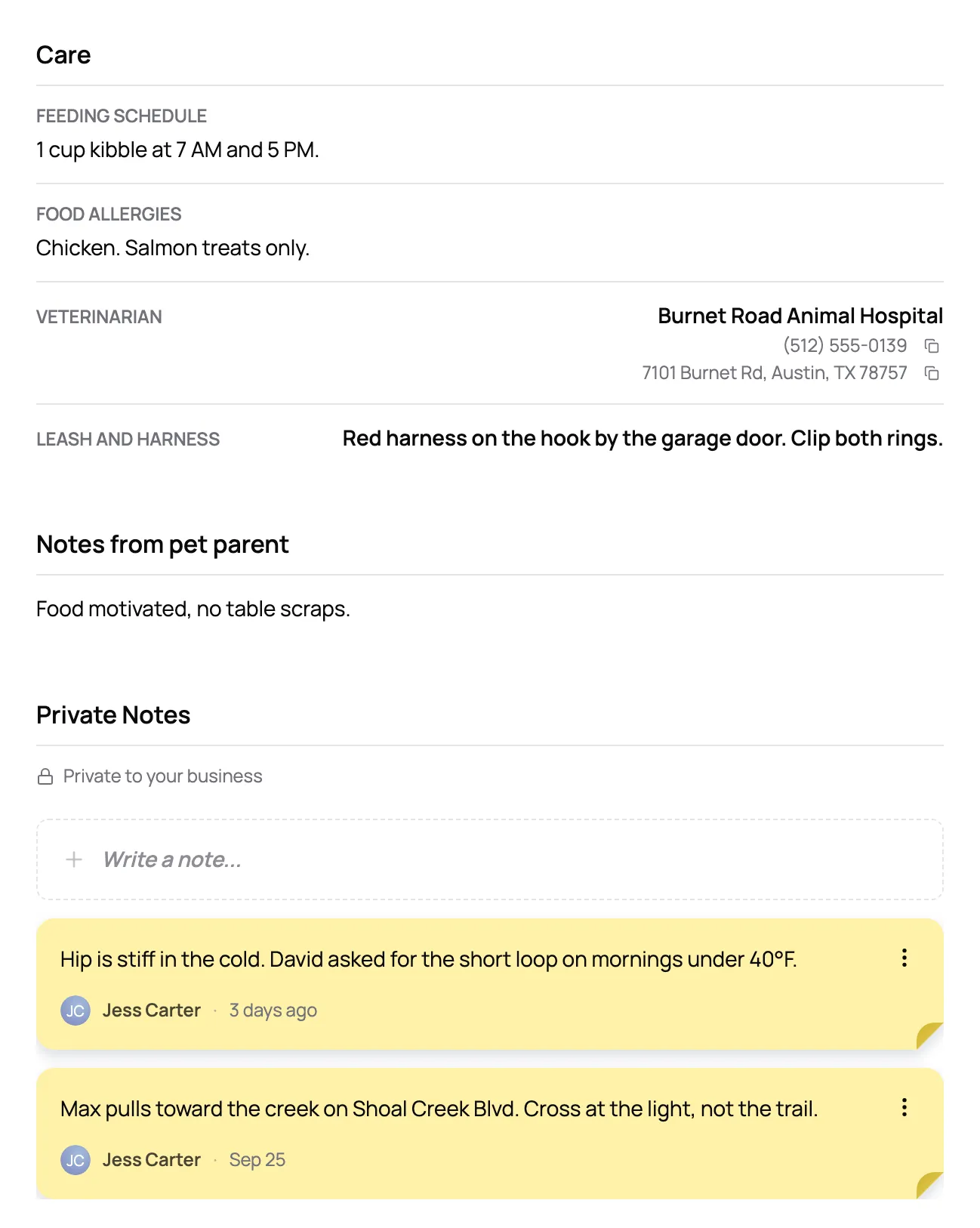
Each pet gets a profile with their photo, feeding schedule, medications, allergies, medical conditions, vet, and microchip. Notes from the pet parent sit right next to your team’s private ones, so whoever’s on the visit knows what to expect.
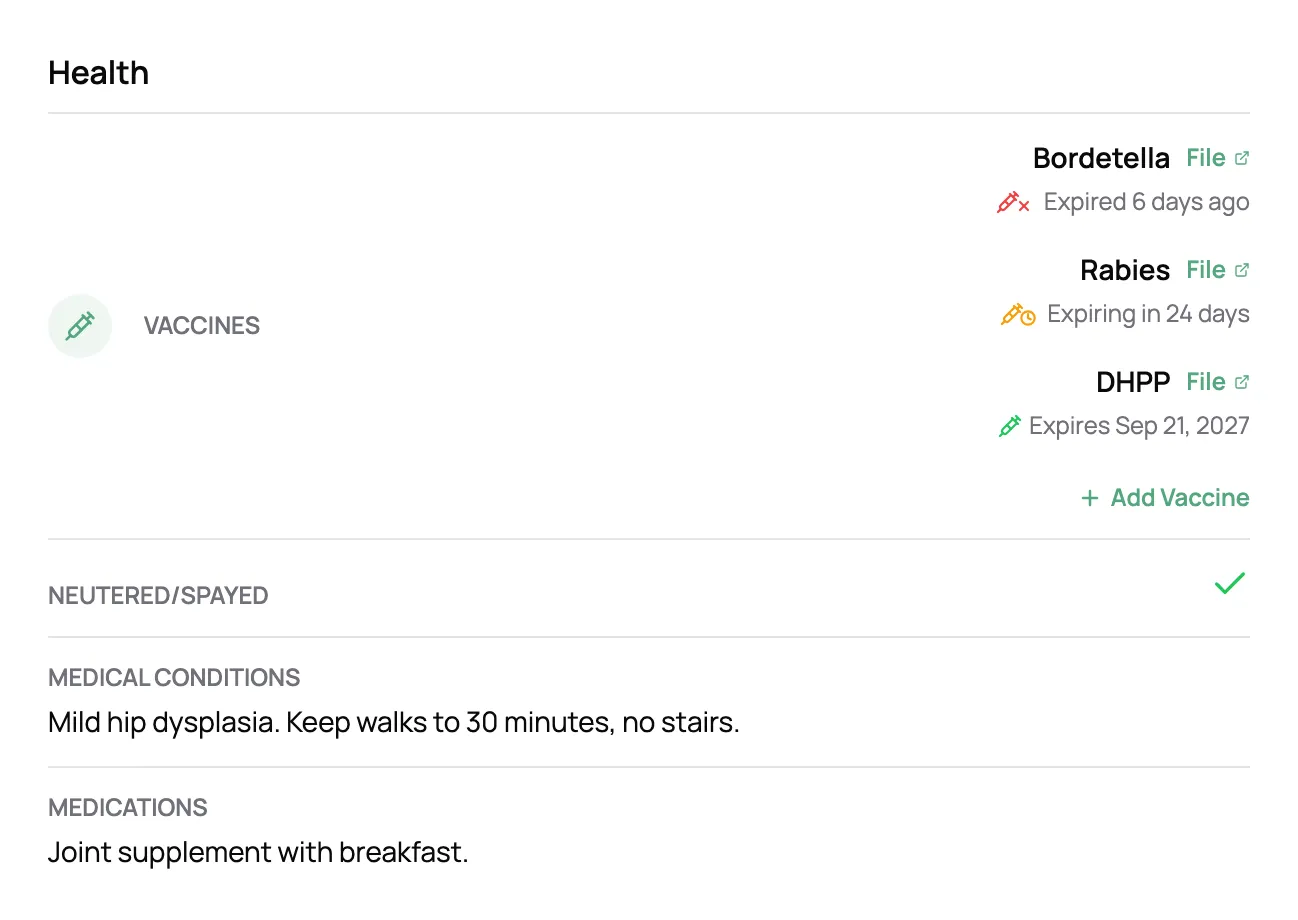
Add each vaccine with its expiration date and the vet’s record, even when one record covers several shots. Scritches marks a vaccine expiring soon 30 days out and expired after, and flags the pet on its profile and on its visits in your calendar.
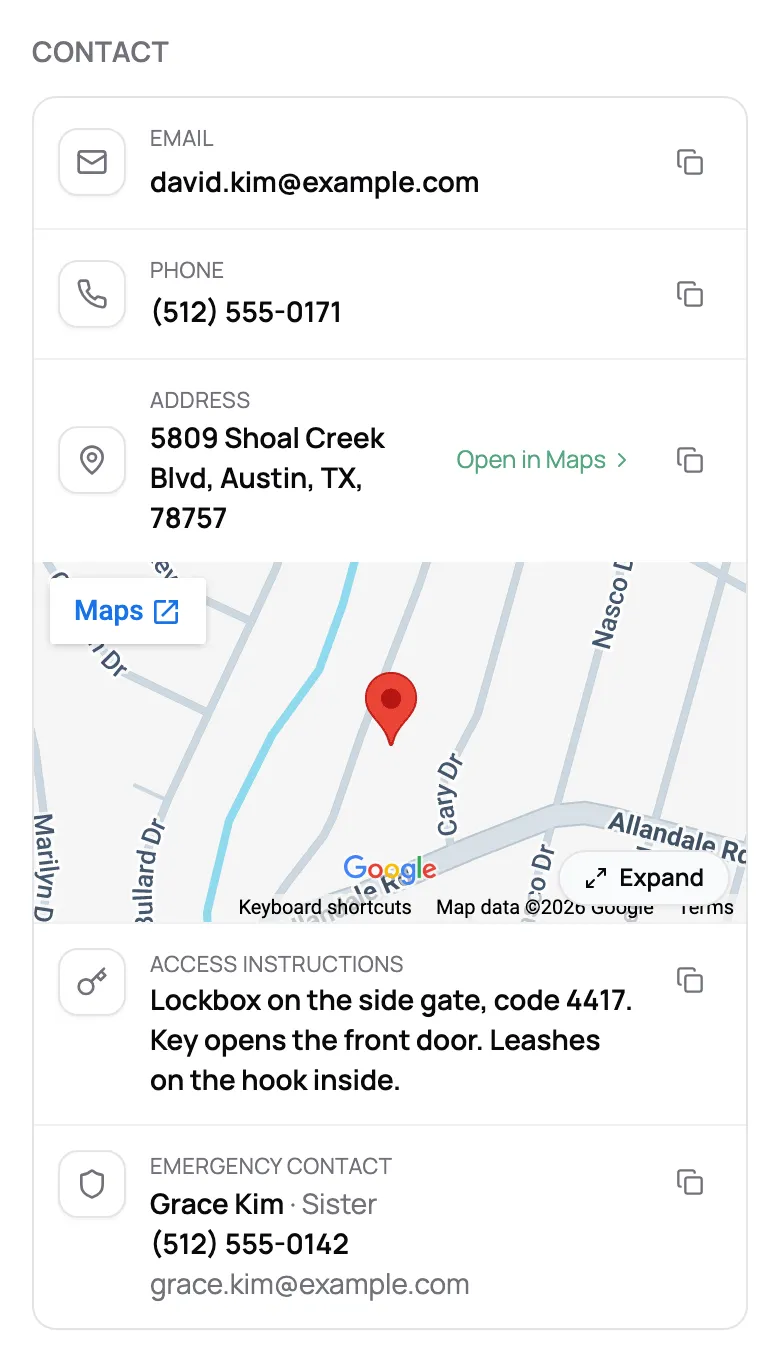
The address with a map, the door or lockbox code, and who to call if something goes wrong, on the client’s page and on your phone. Copy a code with one tap instead of scrolling back through old texts.
“Both me and my clients seem to like the platform and its flexibility. The ability to have all of my pet biz information on one platform is super handy for me and clears [a lot] of digital clutter.”
Jennifer L.
Pet Care Professional, Wuffs and Fluffs Pet Sitting Services
Add the questions your business needs as text, dropdowns, yes or no, or dates. Choose whether clients can see or edit each one.
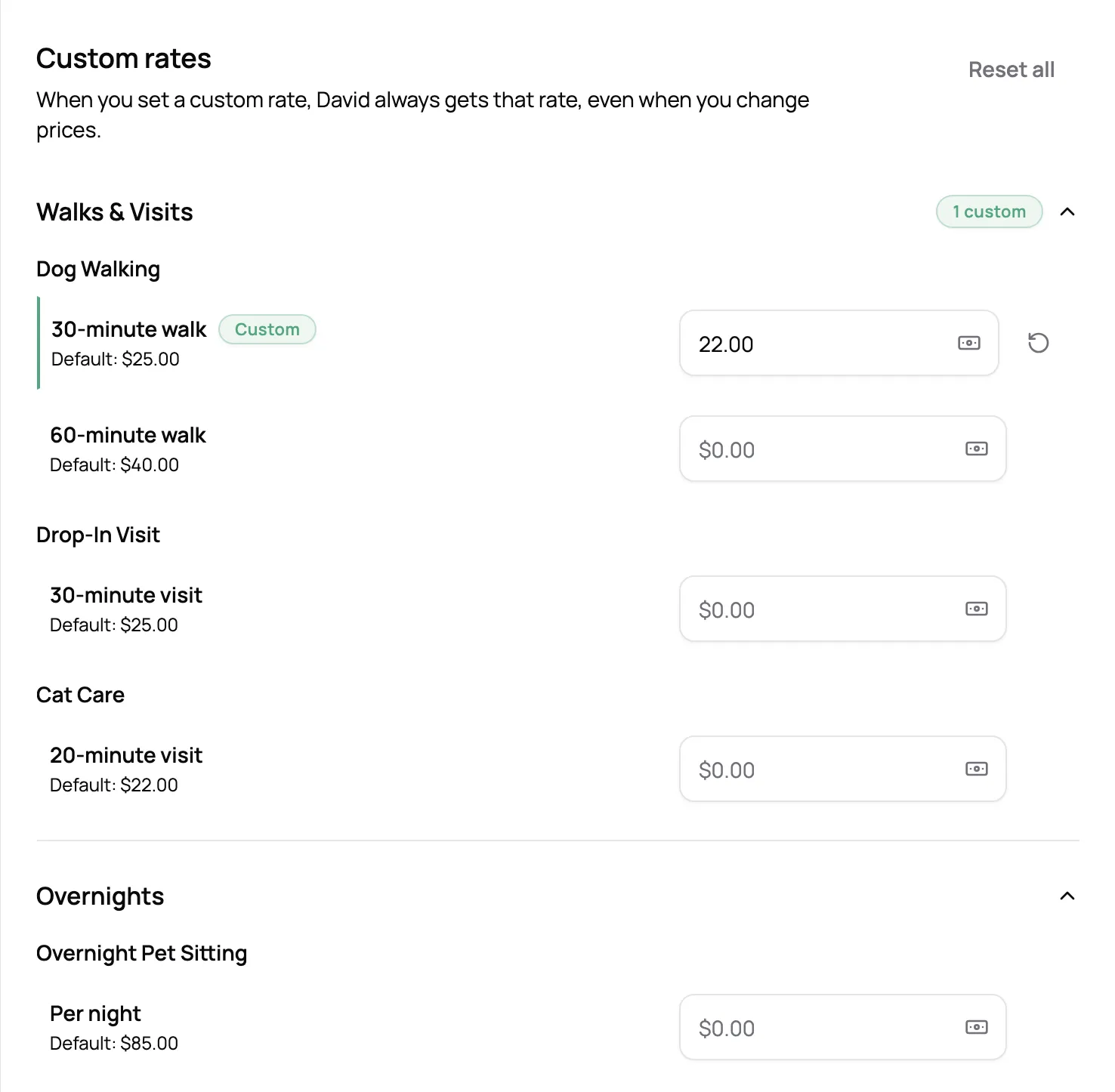
Give a longtime client their own price on any service. New bookings use it, and you choose whether upcoming visits change too.
Timestamped notes only your team sees, also a tap away from the visit on your calendar.
Clients update their own contact details and pets from their portal, and the profile changes right away.
Bookings, invoices, signed agreements, and form answers each have a tab on the client’s page.
Send your list from Time To Pet, PetPocketbook, Square, or a spreadsheet, and we’ll import your clients and pets for you.
A photo, species, breed, birthday, color, sex, spayed or neutered, microchip, feeding schedule, medications, medical conditions, food allergies, and vet details, plus vaccines and any fields you add yourself. Each pet also has notes from the pet parent and private notes for your team.
Yes. From their portal, clients can update their contact details, add pets, and edit their pets' profiles, and the changes land on the profile right away. For fields you add, you choose whether clients can't see them, can see them, or can edit them.
Add each vaccine with its expiration date and, if you have it, the vet's record. A vaccine shows as expiring soon 30 days before it lapses and expired after that, and the pet is flagged on its profile, on the client's page, and on its visits in your calendar. It doesn't block bookings on its own; what happens next is your call.
Yes, for clients and for pets: short or long text, dropdowns, multiple choice, yes or no, and dates. You can make a field required on your intake form and choose who can see it, so a house quirk can stay between you and your team.
Yes. Email us your client list from Time To Pet, PetPocketbook, Square, BusyPaws, or a spreadsheet, and we'll import it for you, free on paid plans. Clients, contact details, access instructions, and pets with their care notes come over. Past bookings and invoices don't.
No. Private notes on clients and pets are only visible to your team. The pet parent has their own notes on each pet, and anything you want to share after a visit goes in a report card.
Yes. Download all your clients and pets as spreadsheet files whenever you like, with archived clients included if you want them.
As many as they have. Each pet gets its own profile, vaccines, and notes, and you can archive a pet you no longer care for without touching the rest of the household.