
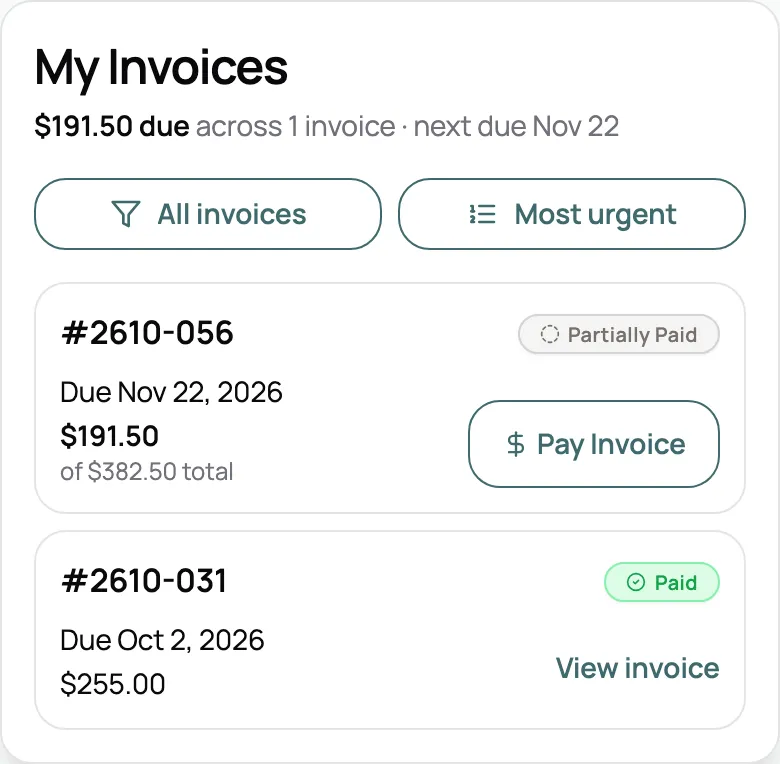
Pay and sign in one place
My Invoices shows what’s due with a Pay button on each one. Agreements waiting on a signature stay flagged until they’re signed.
One place for every pet parent to see their visits, reschedule or cancel on your terms, update their pets, and pay. A client portal on your brand and your own domain, with no password to remember.
Start for free today

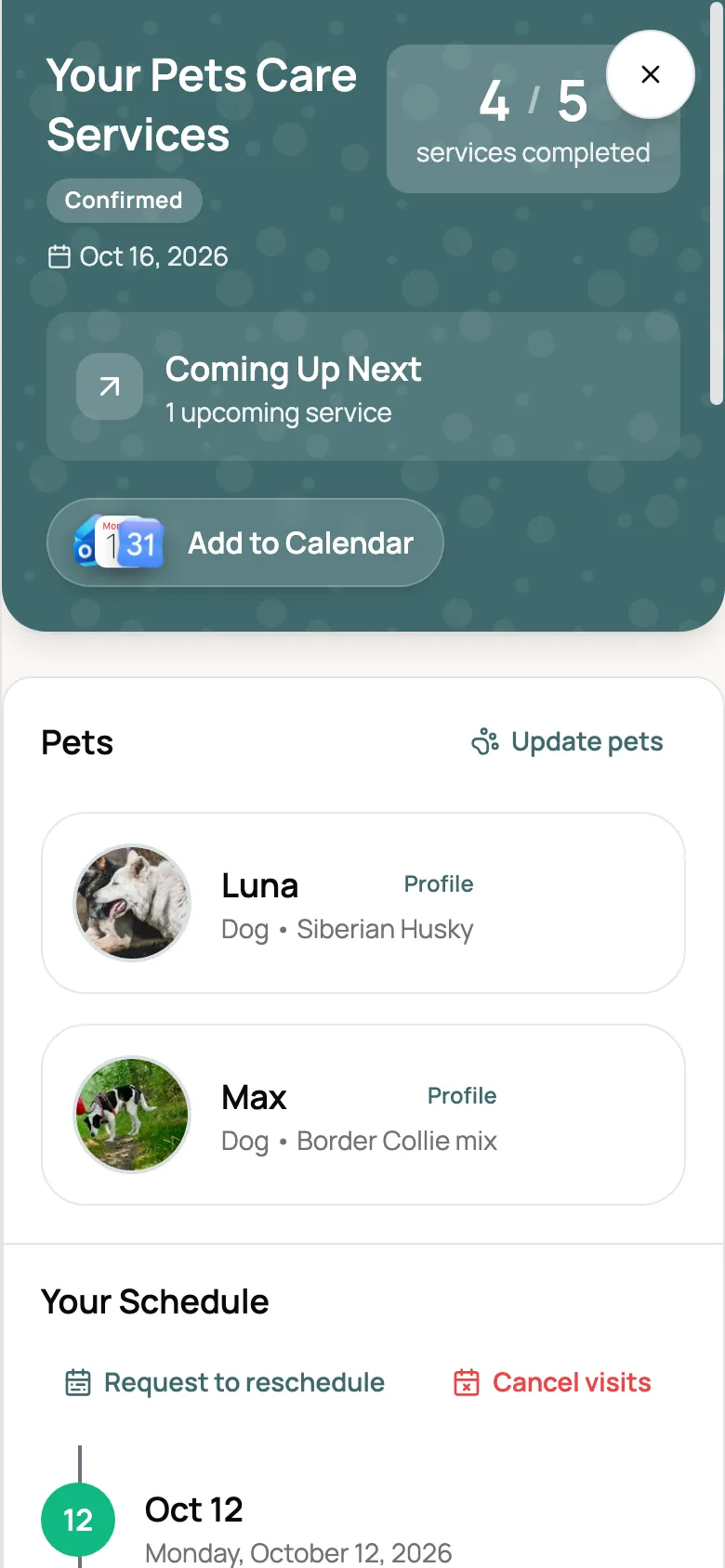
The portal opens on your client’s bookings. Each one lists every visit, how many are done, what’s been paid, and a report card link once a visit wraps up. One tap adds the whole thing to their own calendar.
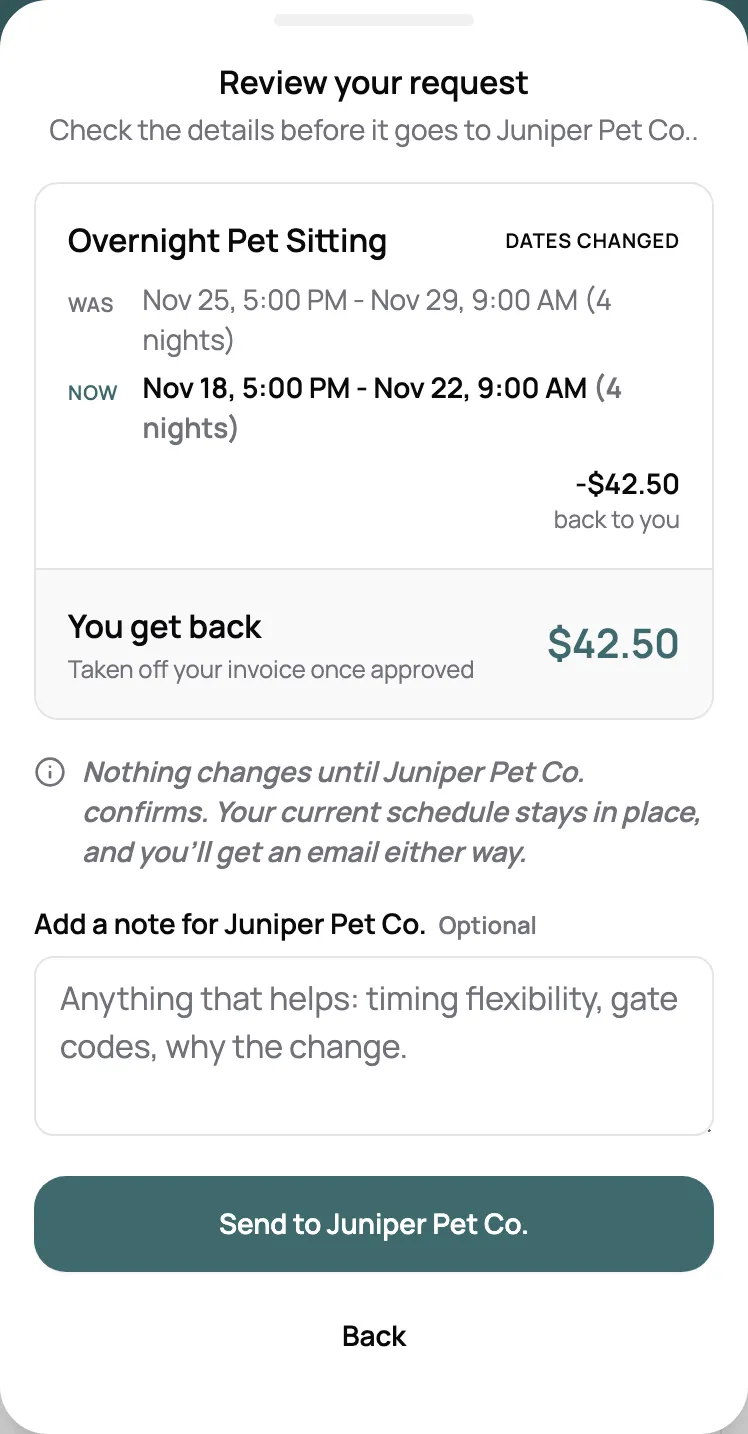
Clients pick the visits to move or drop and see the price difference or your cancellation fee before they confirm. You decide whether clients can cancel, how close to a visit they can still ask for changes, and whether requests approve themselves after a set time.
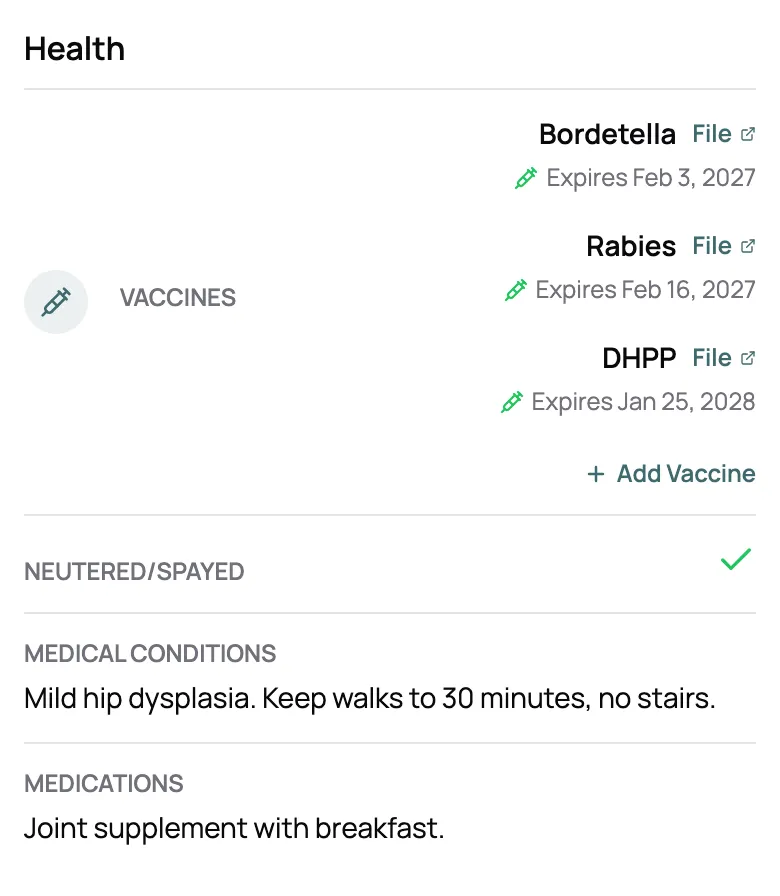
Clients add and edit their own pets: photo, medications, allergies, feeding, vet, and notes for you. They upload vaccine records with expiry dates, and keep access instructions and an emergency contact on their profile. You choose which of your custom fields they can change.
“I love how scritches is so easy to use and everything is consolidated into one platform and has a portal that customers can login, manage their pets and book appointments, specifically overnight pet sitting.”

Jake H.
Pet Sitter, Jake's Pet Pals
My Invoices shows what’s due with a Pay button on each one. Agreements waiting on a signature stay flagged until they’re signed.
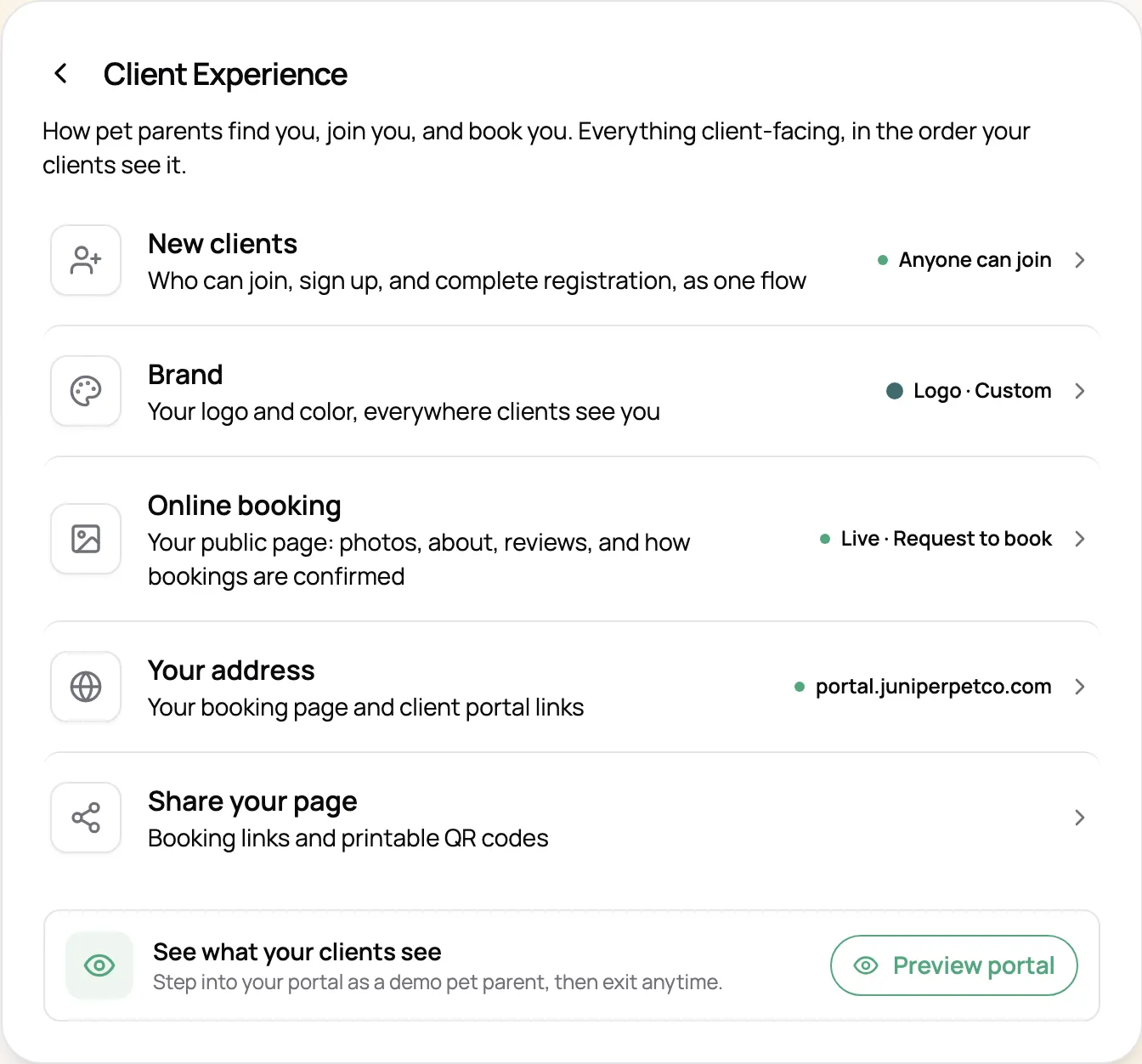
Your logo and brand color carry across the portal, booking page, and invoices. On Solo Pro and Growth, the portal can live at your own address, like portal.yourbusiness.com.
Clients sign in with a one-time code, and every link you send signs them in on its own.
Finished visits link straight to their report card, so the photos are never more than a tap away.
Clients add any booking to Google, Apple, or Outlook, so your visits sit next to the rest of their week.
Open the portal as any client to check exactly what they’ll find before you send the link.
No password needed. Clients type in the email they gave you and get a one-time code to sign in. Every link you send them, from invoices to report cards, signs them in on its own for 14 days.
No. The portal runs in the browser on any phone, tablet, or computer, so clients open it from a link and they’re in.
Yes. Book Now opens your booking page with their details already filled in. You decide whether bookings confirm instantly or come to you as requests, and whether new clients can sign up on their own or only the regulars you’ve added.
Yes. You can turn client cancellations off entirely, so clients have to reach out to you instead. Or leave them on and set a cancellation fee per service, like half the visit price inside 24 hours, which clients see before they confirm. For reschedules, set how close to a visit clients can still ask, and whether requests approve themselves after a set time.
Yes. My Invoices shows everything due with a Pay button on each one. On the Solo plan and up, clients can pay by card online. On every plan, they see your Venmo, Zelle, cash, or other payment details.
Their contact details, address, access instructions, and emergency contact, plus each pet’s photo, medications, allergies, feeding, vet, vaccine records, and notes for you. For your own custom fields, you choose which ones clients can edit and which they can only see.
Yes. Your logo and brand color carry across the portal, your booking page, and your invoices. On the Solo Pro and Growth plans, you can also put the portal and booking page on your own domain, like portal.yourbusiness.com.
Open any link your sitter has sent you and you’ll be signed in. Lost the link? Go to app.scritches.io/portal, enter your email, and we’ll send you a link to every pet care business you book with on Scritches.