Pet sitting contracts your clients sign online
Write your pet sitting contract once, or upload the one you have. Every new client signs it on their phone before they book, and you can see who’s signed at a glance.
Start for free today


No signature, no booking
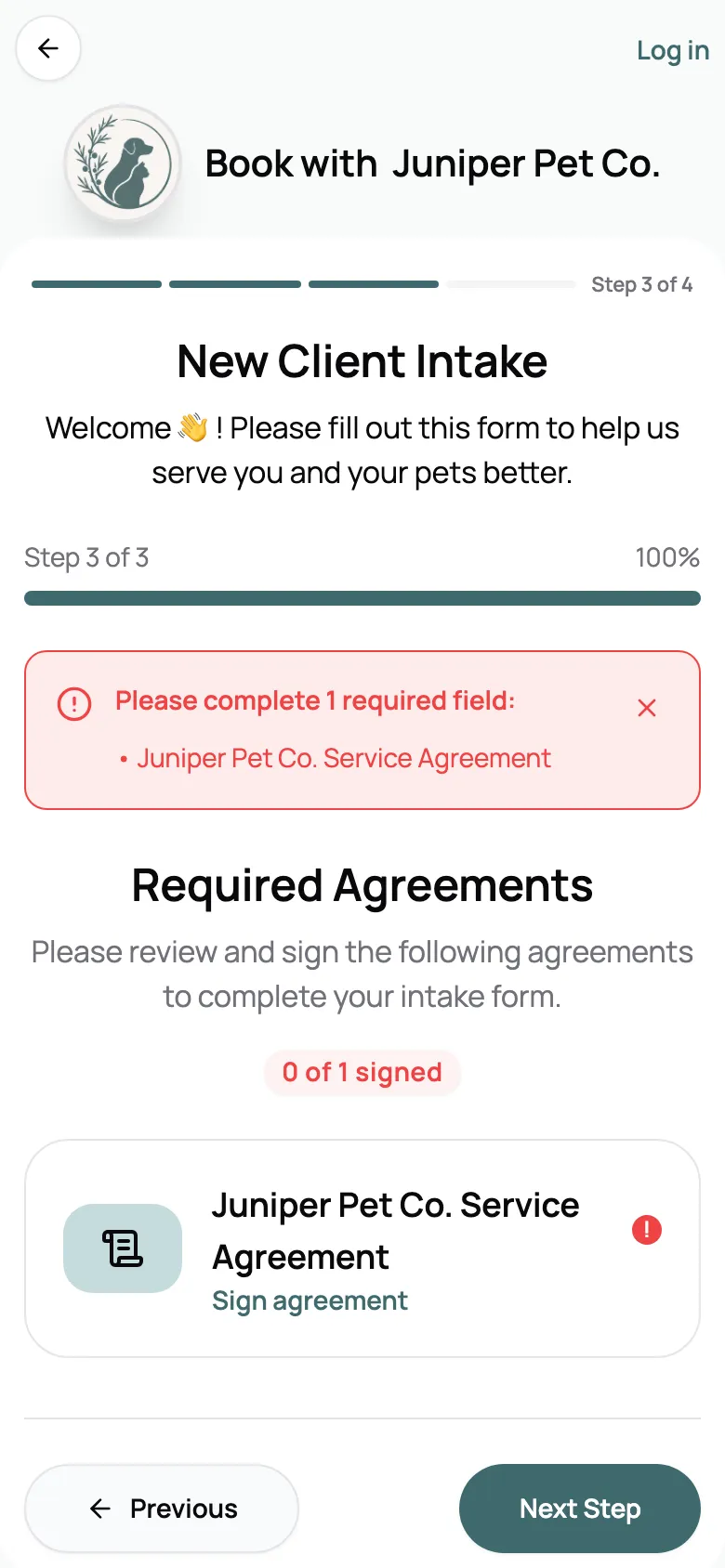
Put your agreement in your new client form, and a new client’s first booking request can’t go out until they’ve signed it. It happens right in the booking flow, so nobody starts care without your terms on file. Clients who’ve already signed never see it again.
- Signed before a first request goes through
- Part of your new client intake form
- Clients who’ve signed are never asked twice
Signed on their phone, not your printer
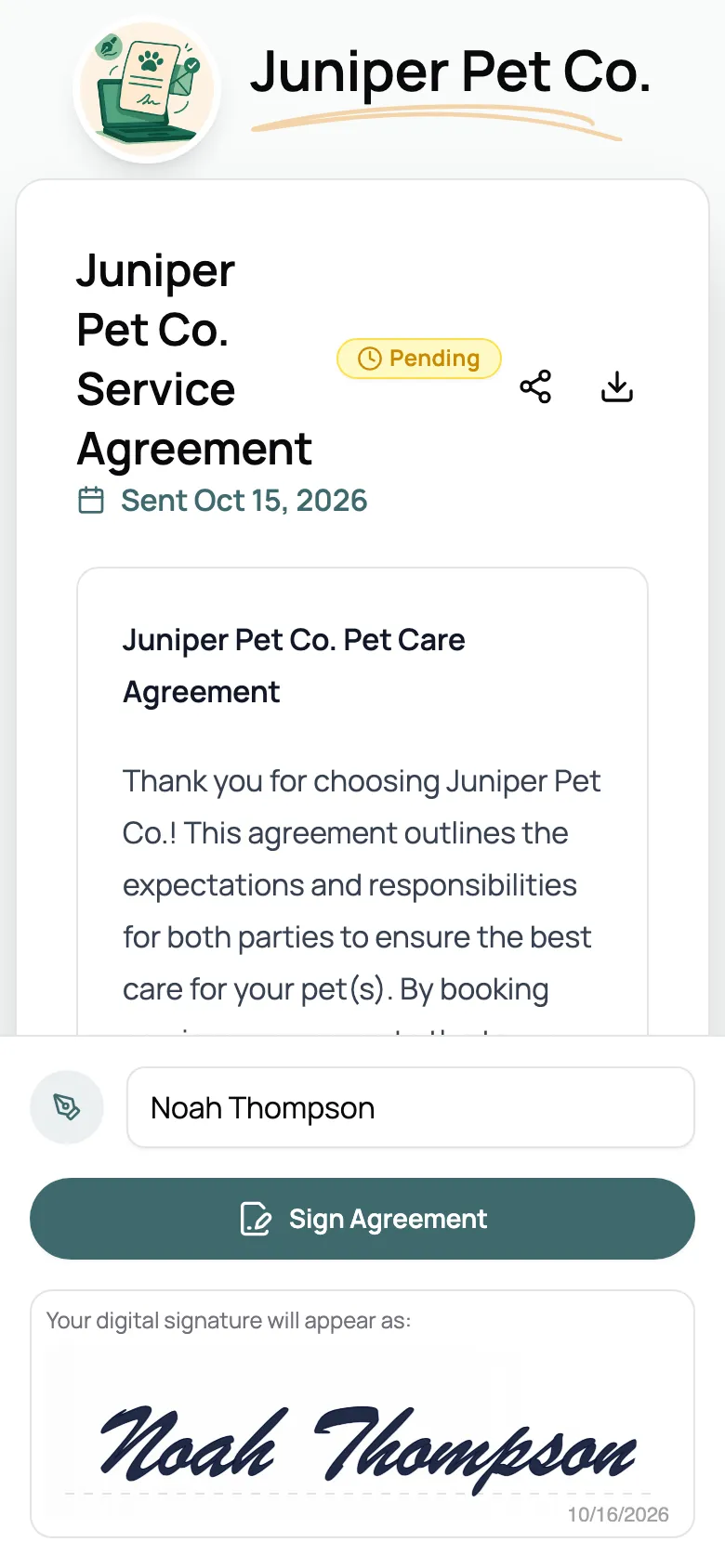
Paste your contract into Scritches or upload the PDF. Clients open it from your email, read it, type their full name, and see it as their signature before they sign. No printing, scanning, or app to download, and your business name and color are on the page.
- Upload your PDF or write it in Scritches
- No app or login to sign
- Your name and colors on the signing page
Know who’s signed, and when
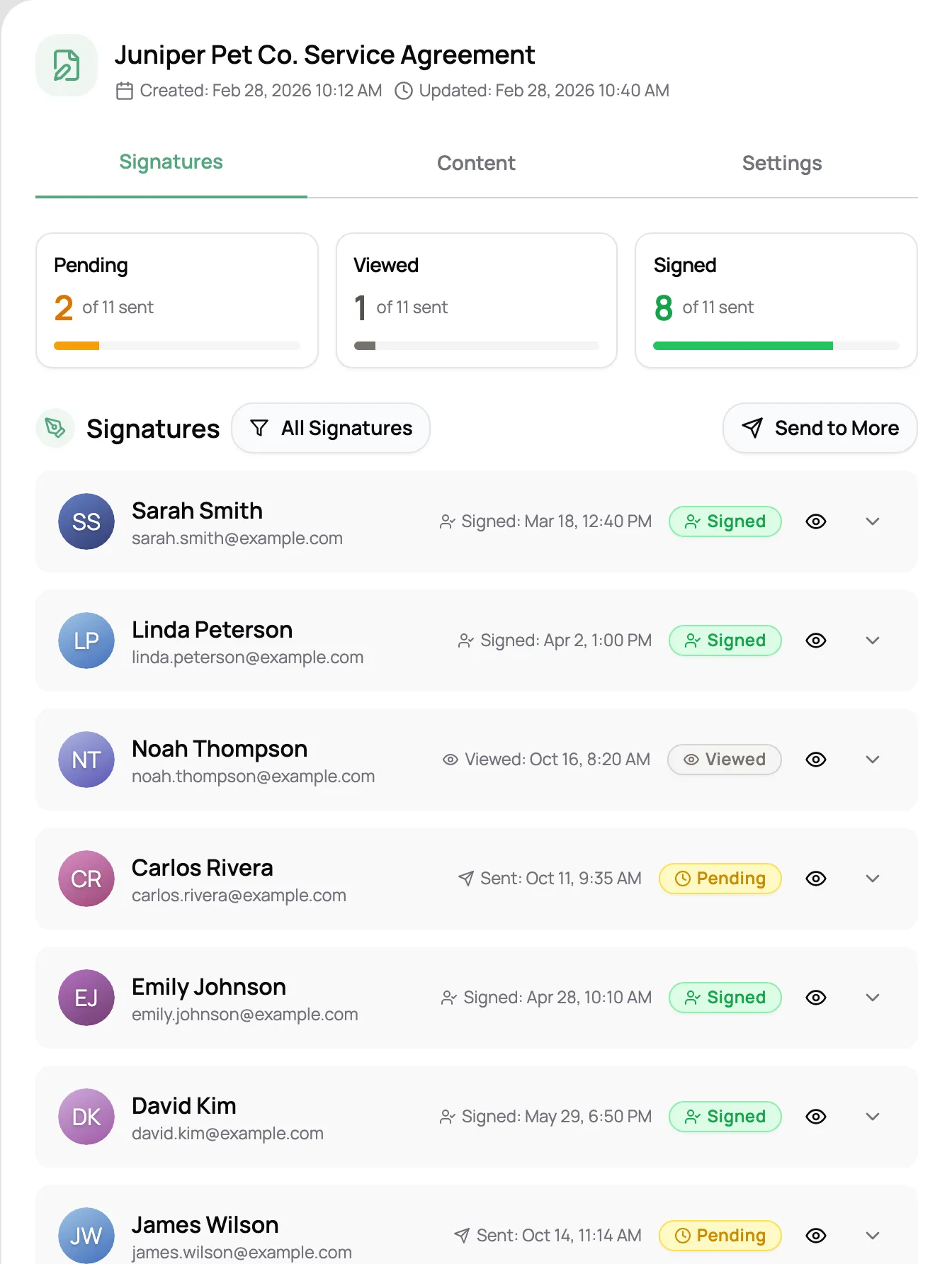
Each agreement shows who’s signed and who hasn’t, with the date you sent it and the date they signed. Send it to all your existing clients at once with a short note. Every signed agreement is saved on the client’s profile, ready when a question comes up.
- Sent and signed dates for every client
- Send to all your clients at once
- Saved on each client’s profile

“Scritches is perfectly aligned with my ideal customer who expects this sort of modern experience. Additionally, one of my requirements was the ability to have clients e-sign agreements and fill out intake forms as part of the onboarding process. The workflow is really intuitive for me.”

Sara W.
Owner, Aledo Pet Sitting, LLC
What goes in a pet sitting contract
Every Scritches account comes with a sample agreement written for pet care. It covers the eight things most pet sitting contracts do, in plain language. Keep it, rewrite any part, or swap in your own.
-
Services provided
What you’ll do, and that changes get agreed in advance.
-
Payment
When payment is due, and what a late payment means.
-
Pet health and behavior
Vaccines are current, and you hear about medical or behavior issues first.
-
Access and security
Permission to come in, and that keys and codes are right.
-
Client responsibility
Food, meds, leashes, and litter are on hand, and hazards get flagged.
-
Emergencies
Who you’ll call, and that you can get vet care if it’s needed.
-
Liability
What you are and aren’t responsible for.
-
Photos and updates
Permission to share photos with them and on your social media.
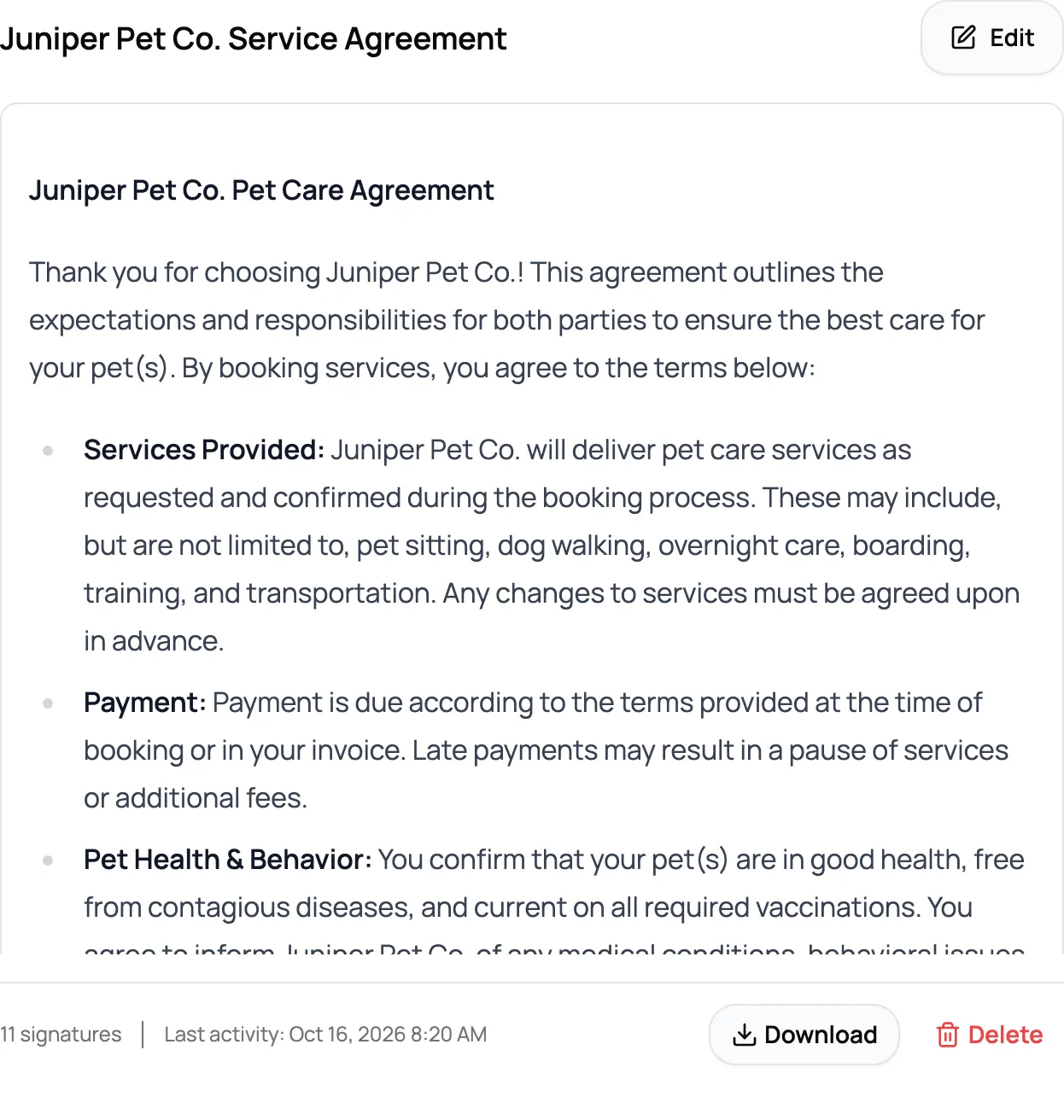
A starting point, not legal advice. Have your contract checked for where you work.
Frequently Asked Questions
No. Clients open the agreement from a link, type their full name, and sign on any phone or computer. There’s nothing to download and no password to make.
Yes. Upload it as a PDF, or paste it into the editor and adjust it there. If you don’t have one yet, start from the sample agreement every account comes with.
Most cover the services you provide, payment and when it’s due, pet health and vaccines, access to the home, supplies, what happens in an emergency, liability, and photo permission. The sample agreement in Scritches covers each of these in plain language, so you can edit it rather than start from a blank page.
Electronic signatures are widely accepted, including in the US under the ESIGN Act. Scritches saves the name each client types along with the date and time they signed. Laws vary by place, so have your contract reviewed for where you work. This isn’t legal advice.
No. Once a client has signed, they aren’t asked for that agreement again.
Edits apply to the agreement right away, and clients who already signed aren’t asked to sign again. For a bigger change, create a new agreement and send it to your clients.
Yes. Open the client’s profile and choose Sign In-Person, then hand them your phone or tablet to sign there.
Yes. Agreements and e-signing are on every plan, including free. Using a different agreement for each service, through per-service intake forms, needs Solo Pro.