
A booking page that looks like you
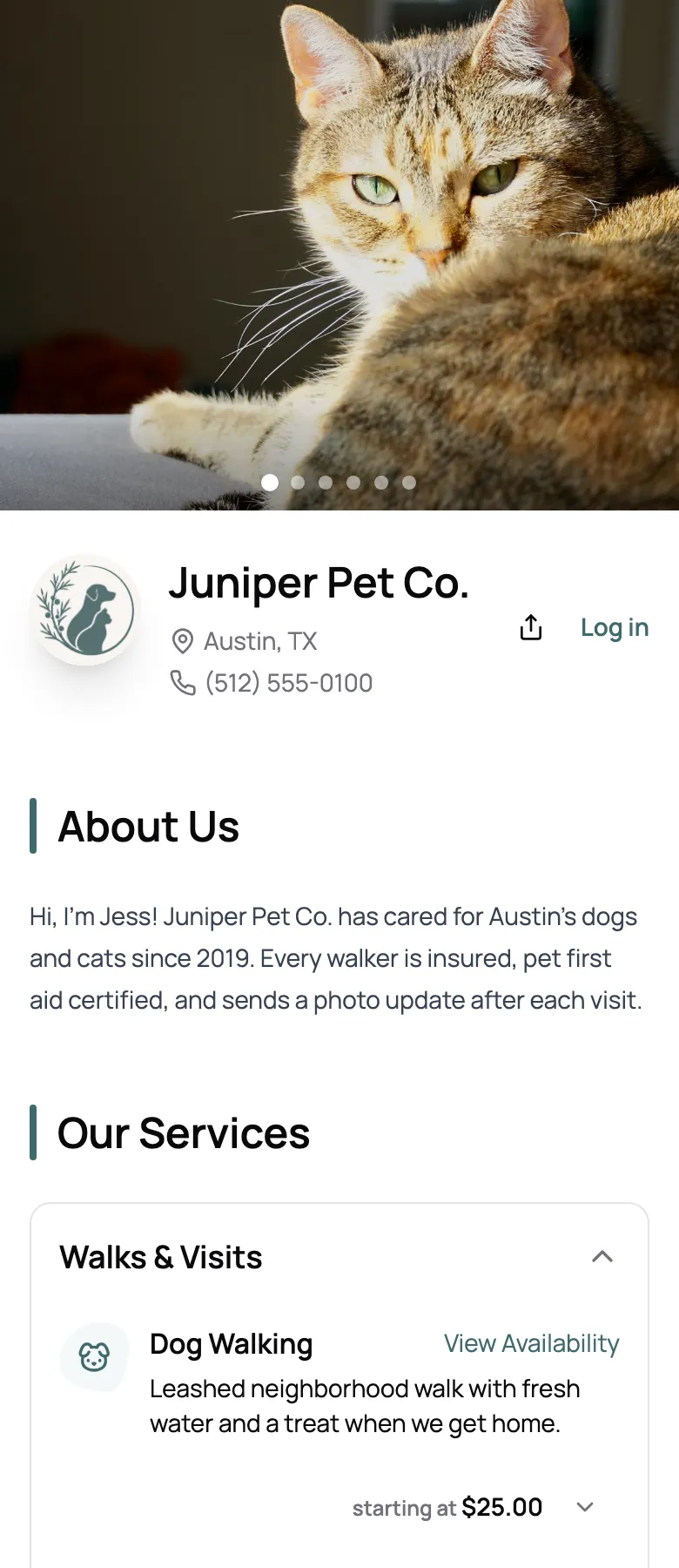
Your logo, brand color, cover photos, and a few words about you, with your services and prices right below.
Give clients one link to book walks, visits, and stays from their phone, and keep the final say on every booking. A pet sitting booking system that runs on your rules.
Start for free today


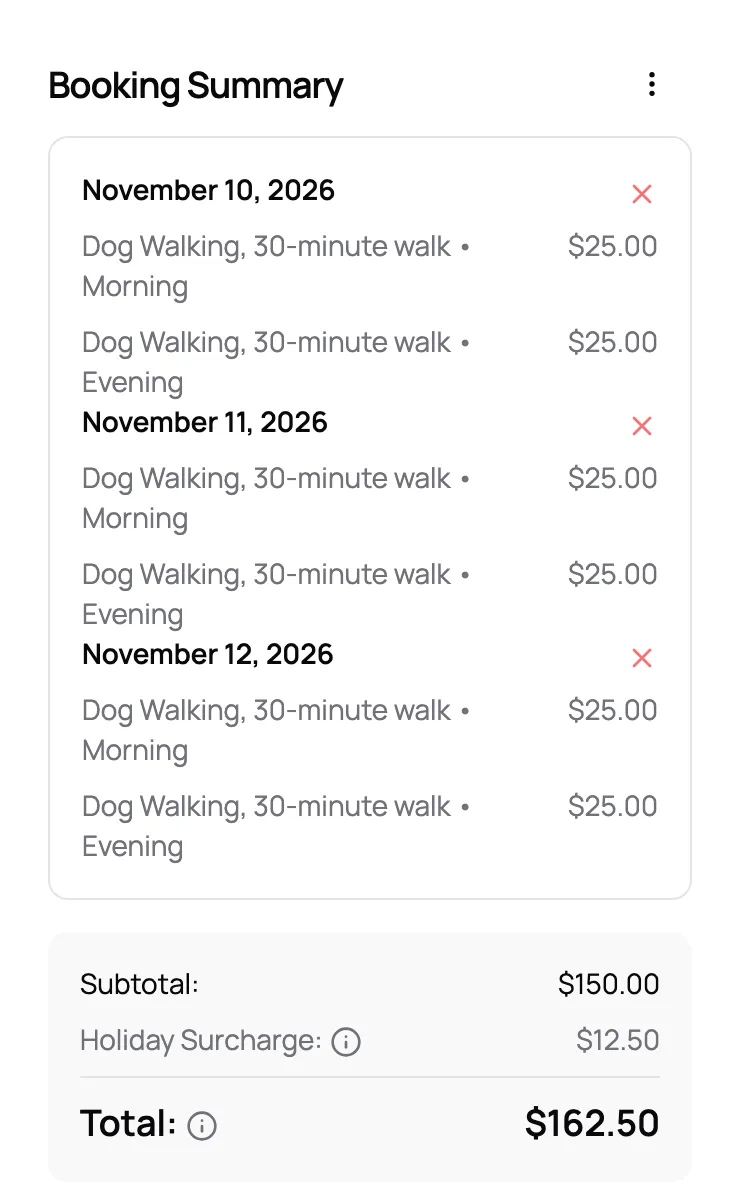
Clients open your link and book without an account, a password, or an app. They pick the service, tap a few days with a morning and an evening walk on each, and see the total, holiday fees included, before they send it.
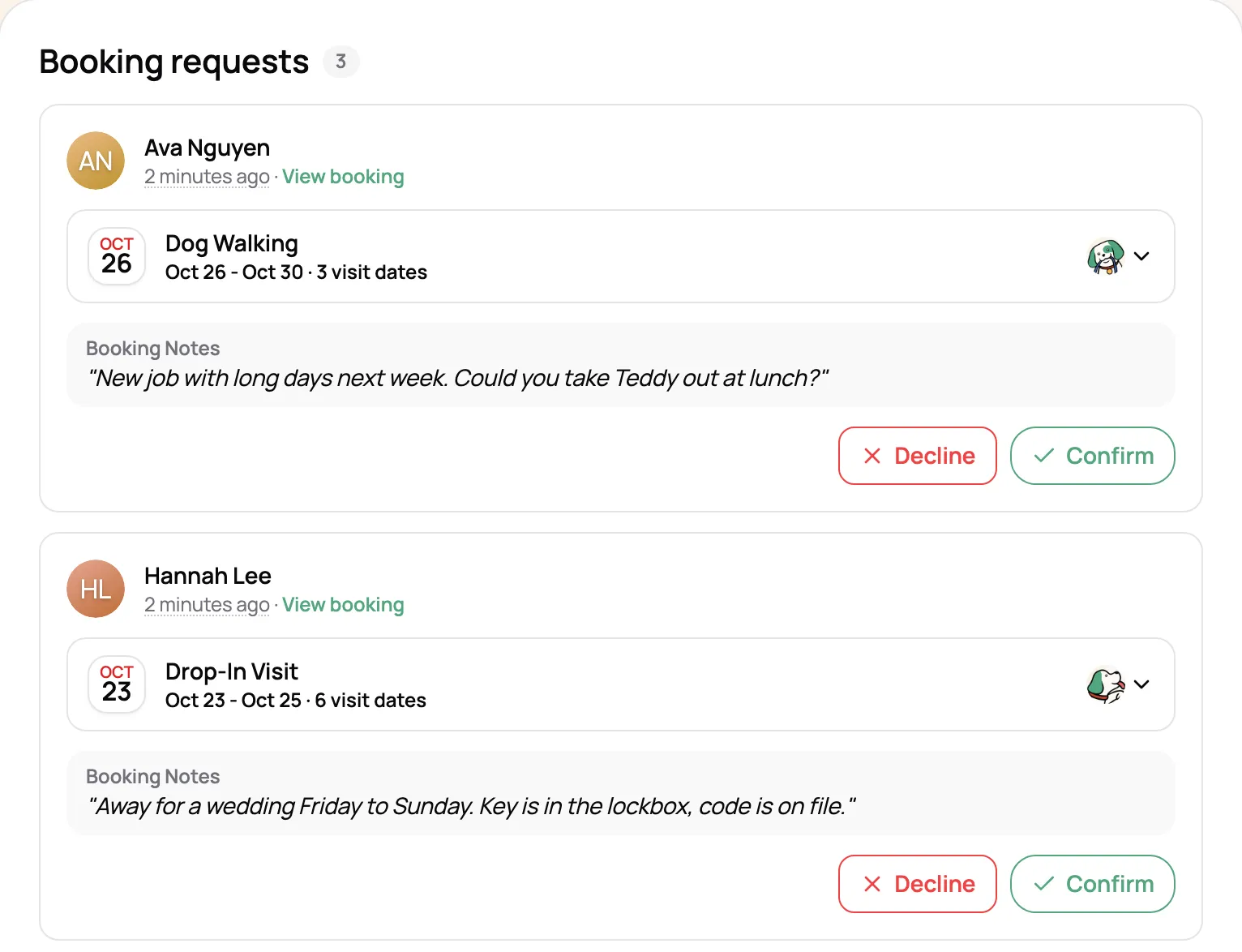
Bookings arrive as requests with the client’s pets, dates, and notes, and you hear about each one right away. Confirm or decline with a note, or switch to instant book once your hours and limits are set. Want to meet every new dog first? New clients can book only your Meet & Greet until you open full booking.
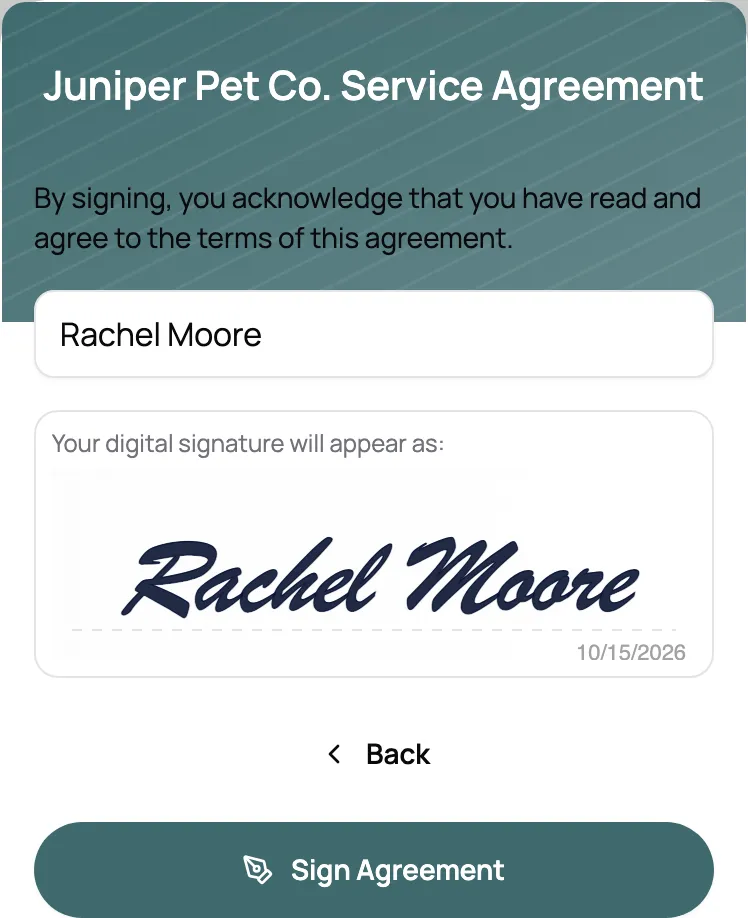
The first time someone books, they fill out your new client form and sign your agreement in the same flow. Their vet, emergency contact, house access, and feeding notes land on their client and pet profiles before the first visit.
“The booking system is the best I’ve seen. I used to piece things together with Square appointments, Calendly, and a few random forms to collect pet info and inquiries, but none of it felt made for sitters. Scritches on the other hand matches my whole process in one place, and the experience feels easy.”

Anonymous User
Owner, Pet Sitter, Pet Sitting Service
Your logo, brand color, cover photos, and a few words about you, with your services and prices right below.
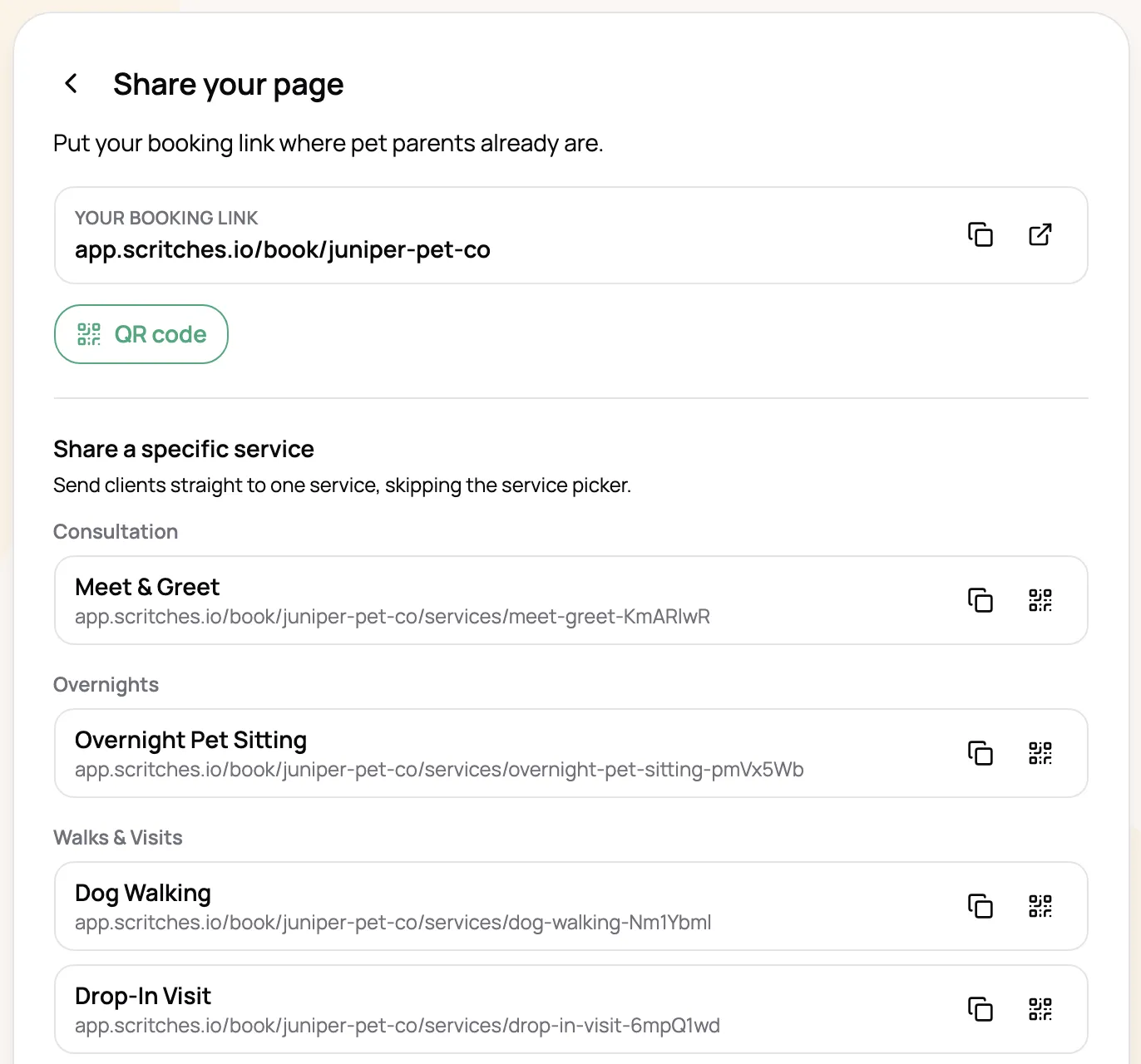
Put your booking link in your Instagram bio or on your website, and print the QR code for flyers. Change the link later and old ones keep working.
Let clients request a weekly or every-other-week schedule for the services you choose. Those always come to you as requests.
Clients cancel visits from their portal with any fee shown first, and send changes for you to approve.
Send a link that opens straight to one service, like your new cat visits. Each one gets its own QR code too.
Clients who log in see the prices you’ve set for them, not just your standard rates.
No. Clients book as a guest from any browser, with no account, password, or app. Returning clients log in with a one-time code, so there’s no password to forget. The one exception is if you choose to take bookings from existing clients only; then they log in first.
That’s up to you. By default, online bookings arrive as requests that you confirm or decline. Switch to instant book and they’re confirmed on their own and go straight onto your calendar. Repeat bookings a client asks for always come to you as requests.
Yes. Choose who can book: anyone, new clients through an intro visit like a Meet & Greet first, or existing clients only. Everyone can still see your services and prices. You can also turn off online booking for a single client.
Yes. Your booking page has its own link to put in your Instagram bio, on your website, or anywhere else, plus a QR code for flyers and business cards. Each service can have its own link too. A Book Now button on your website is simply that link; there’s no widget to embed.
Yes. Clients pick as many dates as they need and one or more visits on each, like a morning and an evening walk, all in one request. Overnight stays are booked as a date range with arrival and departure times.
Your booking page follows your working hours, blocked time, daily limits, and how much notice you need. Full windows show as Fully Booked, and availability is checked again when the request is sent. A request you haven’t answered holds its spot until you confirm or decline it.
No. Clients see the estimated total, including any holiday or extra-pet fees, and your cancellation terms before they send a booking. Nothing is charged. Once a booking is confirmed, you create the invoice from it.
Yes. Online booking is on every plan, including the free Starter plan.