
Update custom rates in bulk
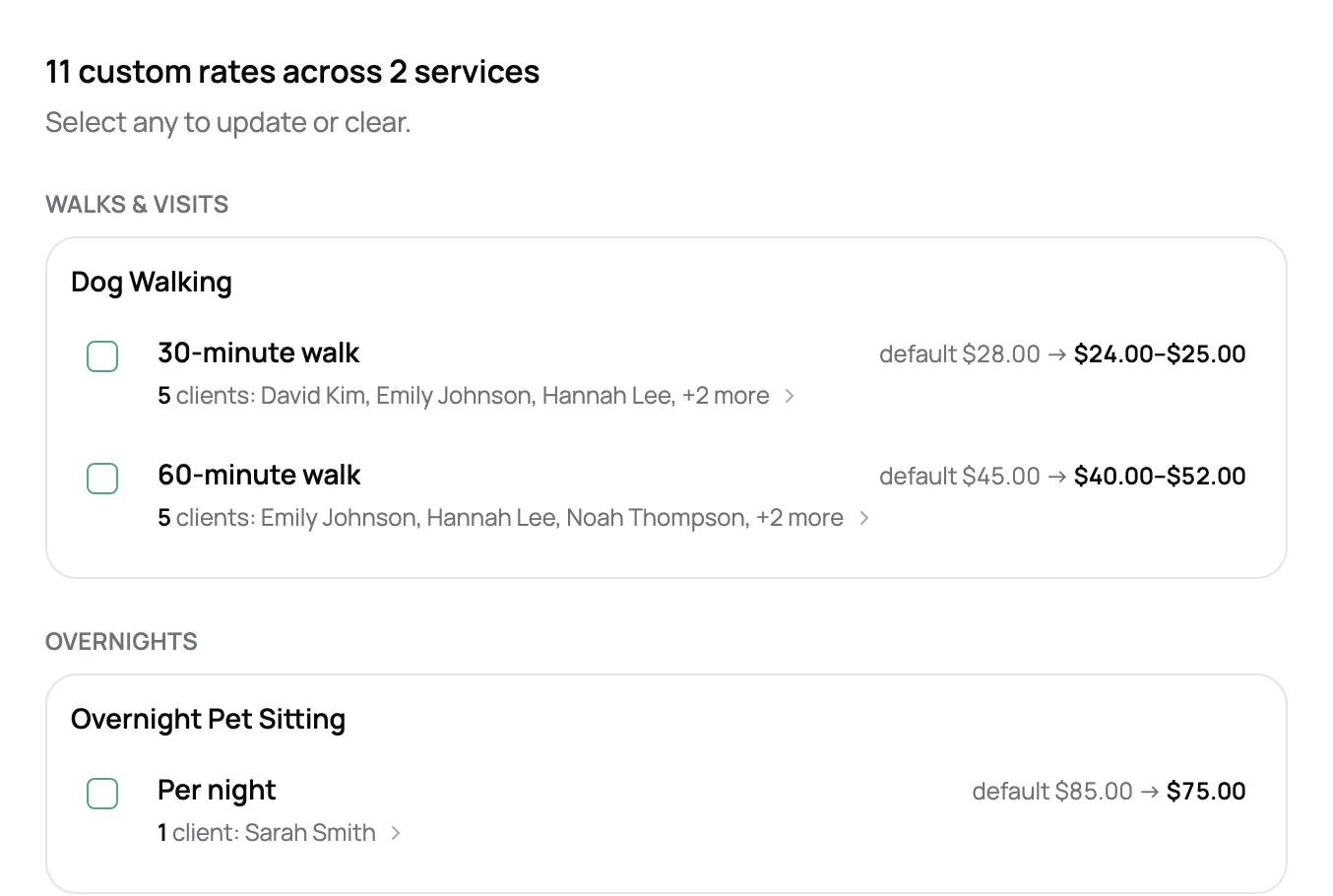
See every custom rate in one list, grouped by service, with who’s on each. Change them or reset them to your default in one pass.
Keep your first client on the price you started with and charge your newest what you charge today. Client-specific pricing that stays put when you raise your rates.
Start for free today


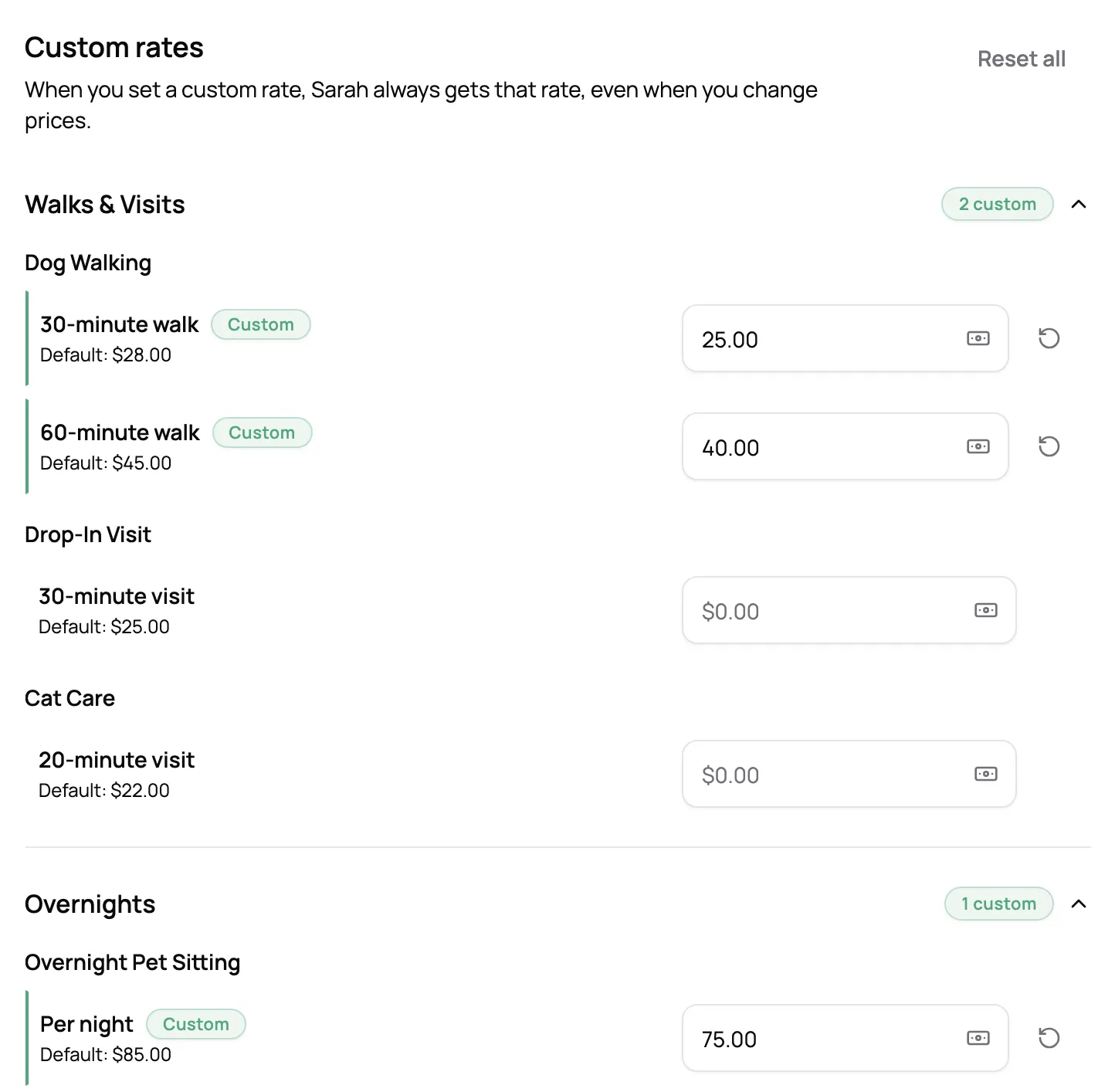
Open a client’s profile and set their price for any service, higher or lower than your usual rate. Your normal price sits right beside it, so you always see the difference, and their rate stays put when your prices change.
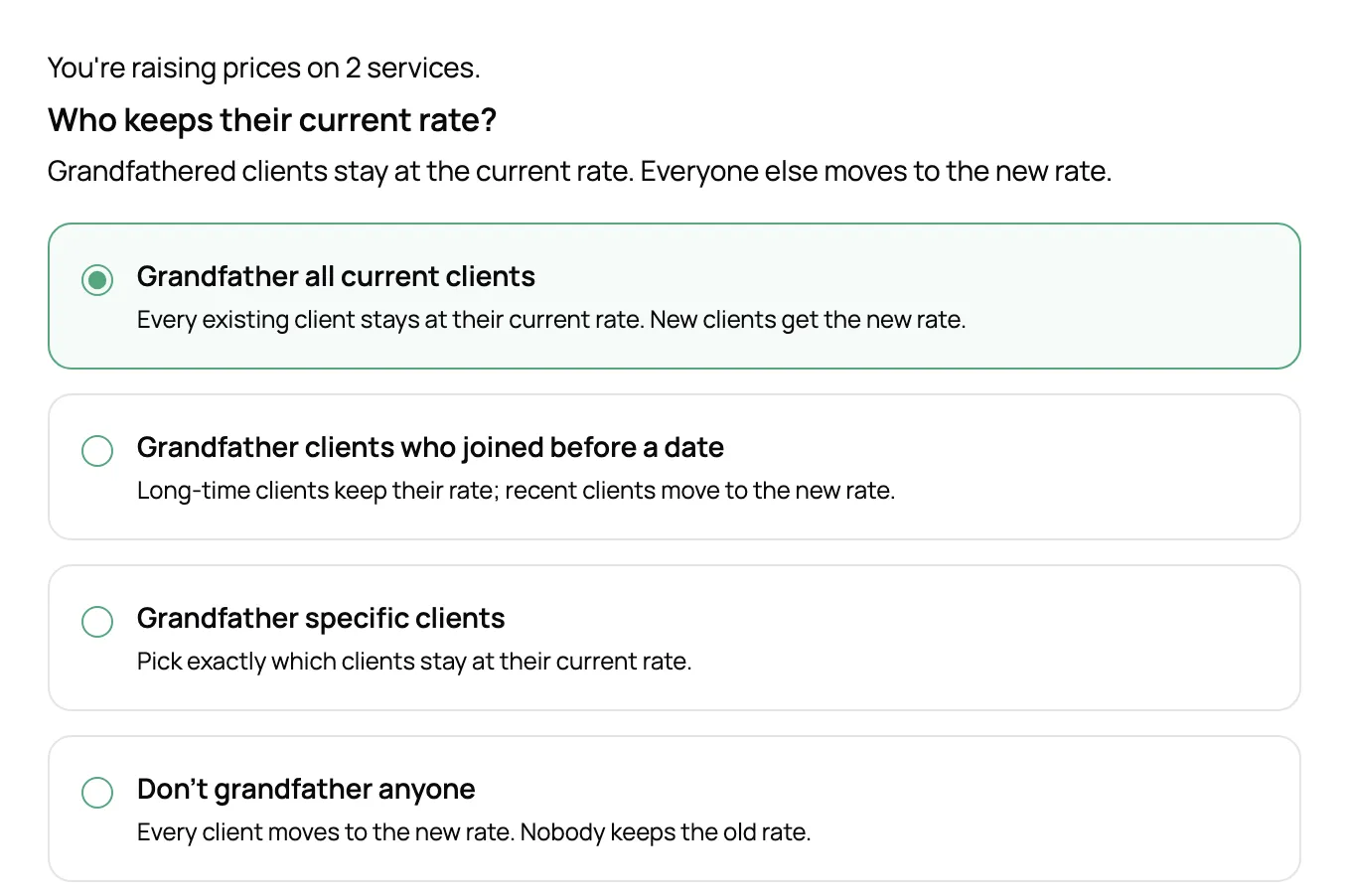
Pick the services and enter the new price, then choose who keeps their current rate: every current client, everyone who joined before a date, or just the clients you pick. Preview who stays and who moves before anything changes.
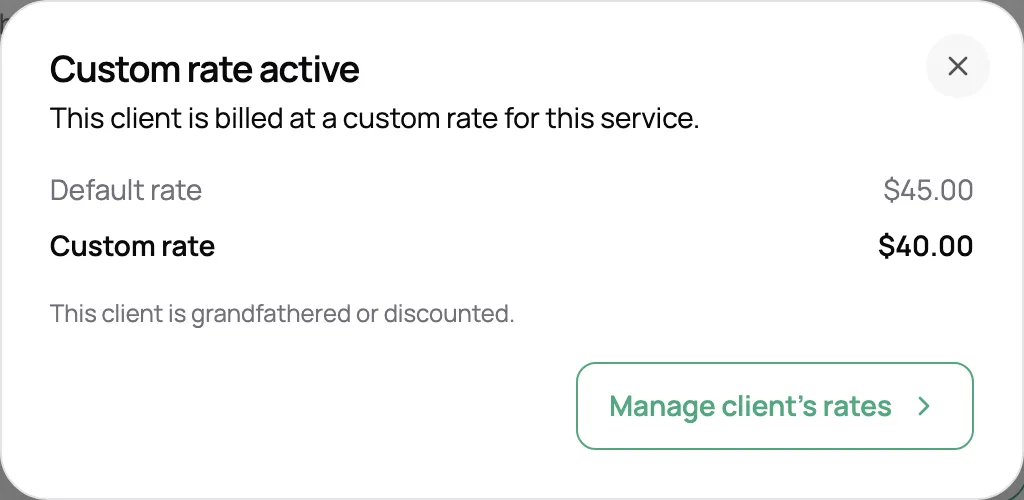
Once it’s set, a client’s rate is used for every new booking, whether you make it or they do. Visits and invoice lines on a custom rate carry a marker, and a tap shows their rate next to your default.
“Really happy overall with every aspect of this software. I love the new feature of raising prices for new bookings and honouring old clients.”

Sarah M.
Dog sitter and walker, Salty Paws
See every custom rate in one list, grouped by service, with who’s on each. Change them or reset them to your default in one pass.
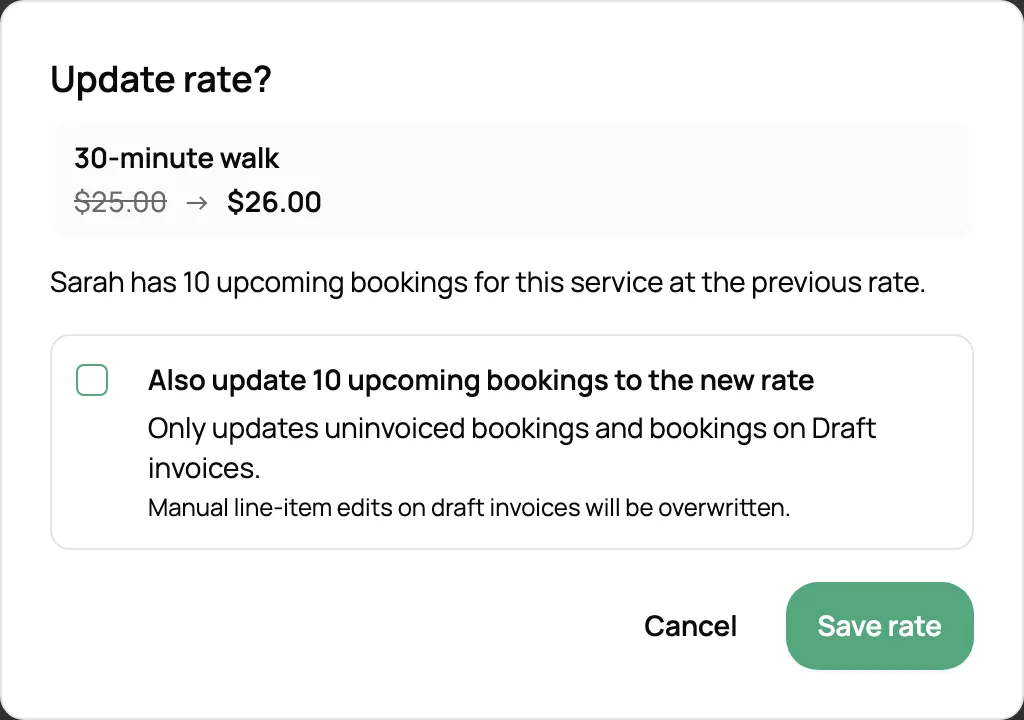
When a client’s rate changes, you choose whether their upcoming visits follow. Visits on invoices you’ve sent keep their price.
Holiday, weekend, and extra-pet fees are worked out on top of the client’s own rate.
Give a client their own nightly rate and every night of the stay is priced at it.
Put one service back to your normal price, or clear every custom rate for a client at once.
Each service shows how many clients have their own price for it.
Yes. Open the client’s profile and set their price for any service, like a 30-minute walk or a night of pet sitting. Every service they don’t have a custom rate for uses your normal price.
No. A custom rate stays put until you change it, whatever you do to your normal prices. That’s what makes it safe to give a long-time client a deal.
Use Raise prices on your Services page. Pick the services, enter the new prices, then choose who keeps their current rate: every current client, everyone who joined before a date, or specific clients. You see who keeps their rate and who moves before anything changes.
Only if you say so. When a rate changes, you choose whether upcoming visits follow it. Visits on invoices you’ve already sent always keep the price they were billed at.
Yes. Custom rates work both ways, so you can charge more for a client whose visits take extra work, as well as less for a regular you want to look after.
Yes. Surcharges are worked out from the visit’s price, so they apply on top of the client’s own rate.
Yes, when they’re signed in to your booking page. Visitors who aren’t signed in see your normal prices.
It depends on your area, your services, and how full your calendar is. The pet sitting rates guide on our blog walks through how sitters set and raise their prices.