
Ask your own questions
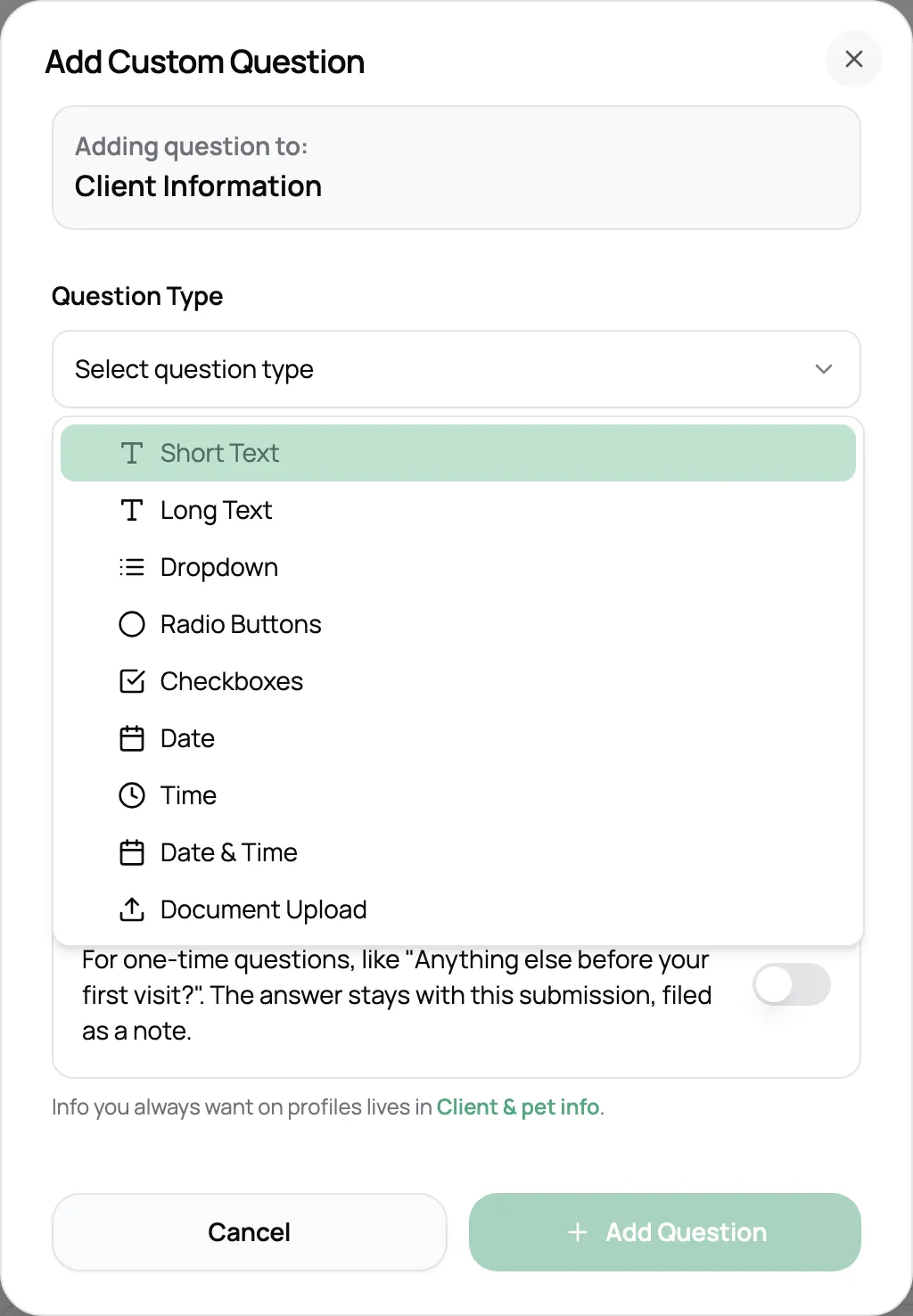
Add short or long answers, dropdowns, checkboxes, dates, times, or a file upload. Make any question required, and hide the ones you don’t need.
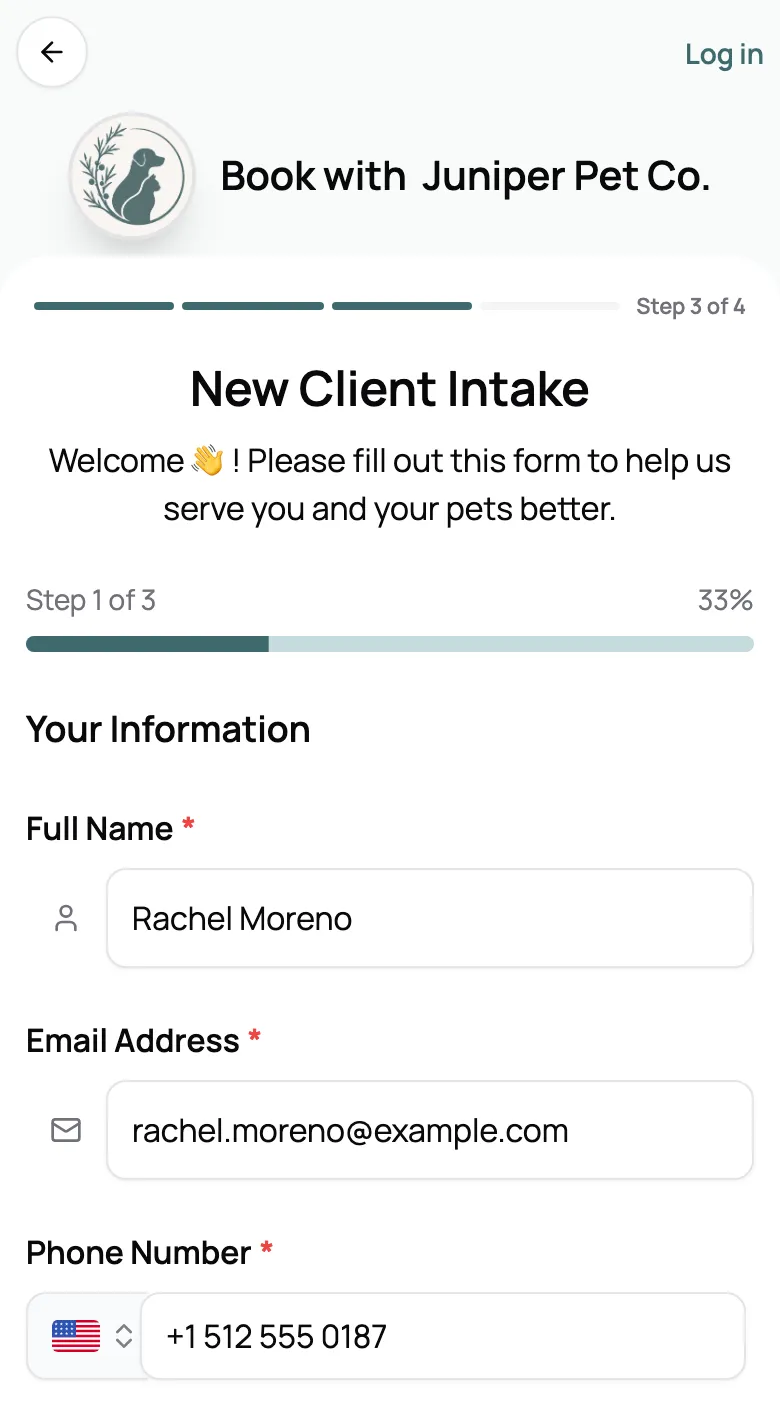
New clients fill out your intake form and sign your agreement as they sign up or book, and returning clients update their details before a visit. Every answer lands on their profile.
Start for free today


Whichever way a new client arrives, your intake form comes with it. They fill it out when they sign up for their portal or during their first online booking, whichever comes first. Clients you add get it with their portal invite. Your agreement is signed on the last step, so the paperwork is done before you’ve met.
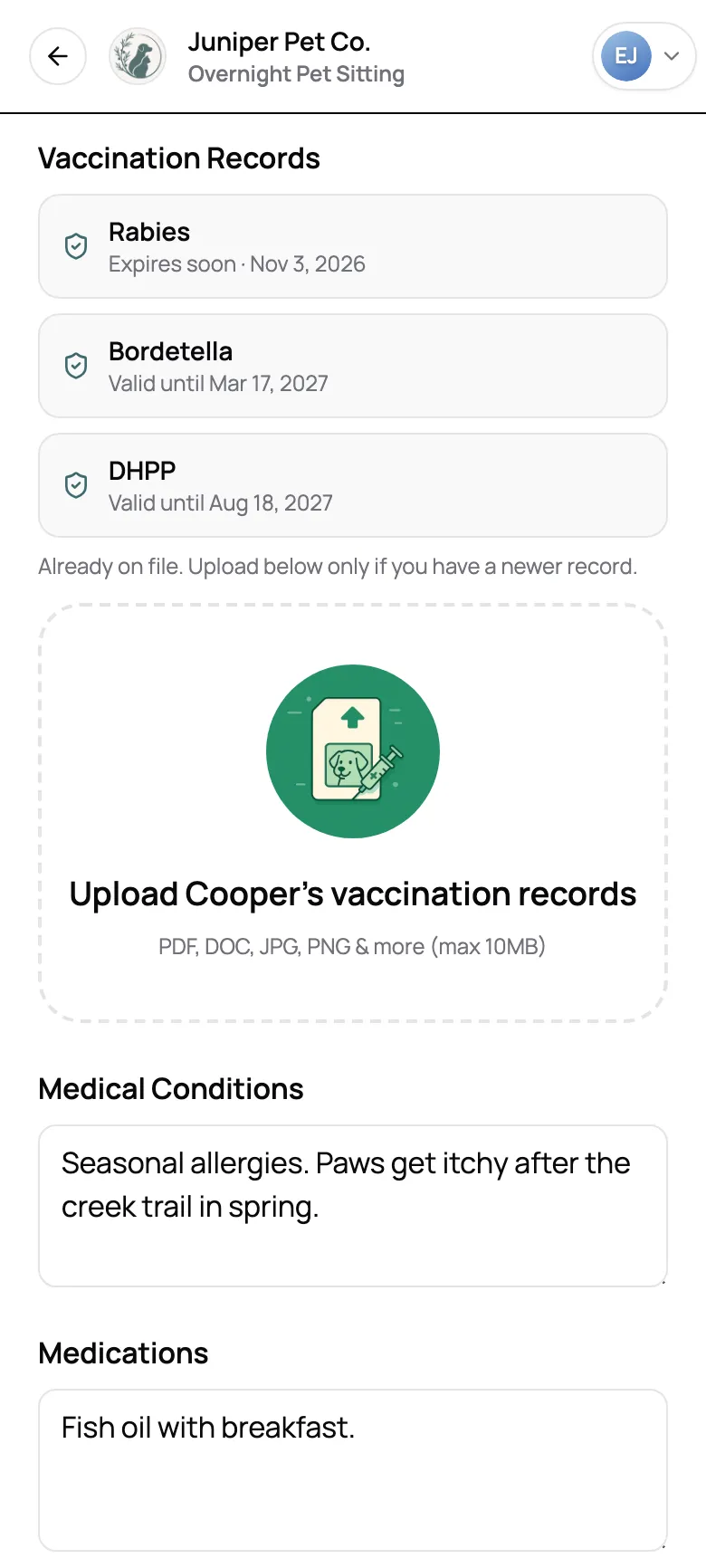
Give a service its own form, like one for overnight stays, and clients fill it out every time they book that service. Returning clients start with what’s already on file, so updating takes a minute, and vaccines on file show when they expire. Forms per service are on Solo Pro and up.
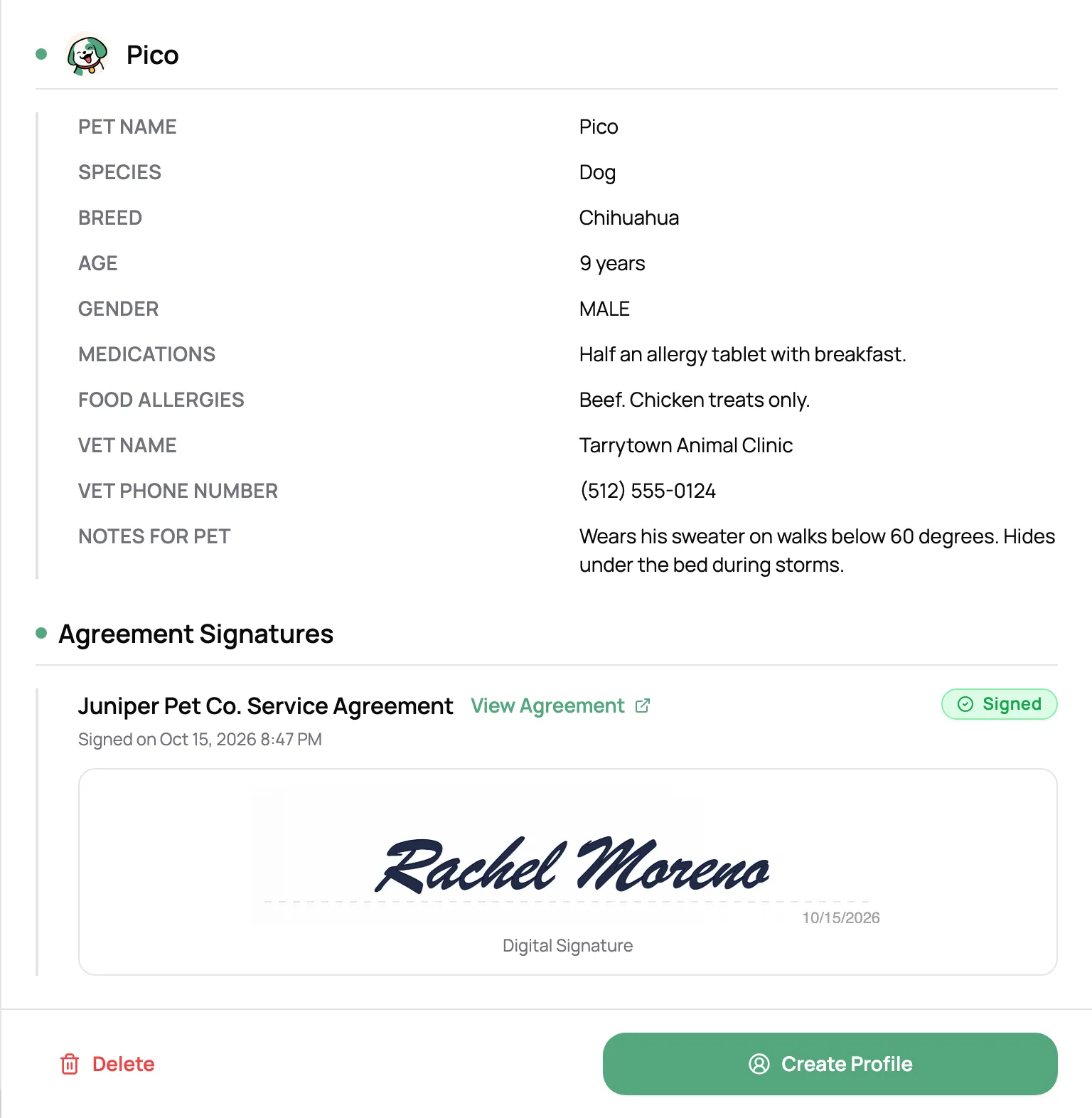
When a client books or signs up, their answers fill in their client and pet profiles, and vaccine uploads become records with expiration dates. Someone who isn’t a client yet waits in Submissions with everything they sent, signed agreement included, until you create their profile or merge it with one you have.
“Scritches is great and my pet sitting clients are super happy with it. It makes it easy to manage booking requests and payment. Plus, I love that I can have clients sign a contract and gather all their information in one place.”
Anonymous User
Pet sitter
Add short or long answers, dropdowns, checkboxes, dates, times, or a file upload. Make any question required, and hide the ones you don’t need.
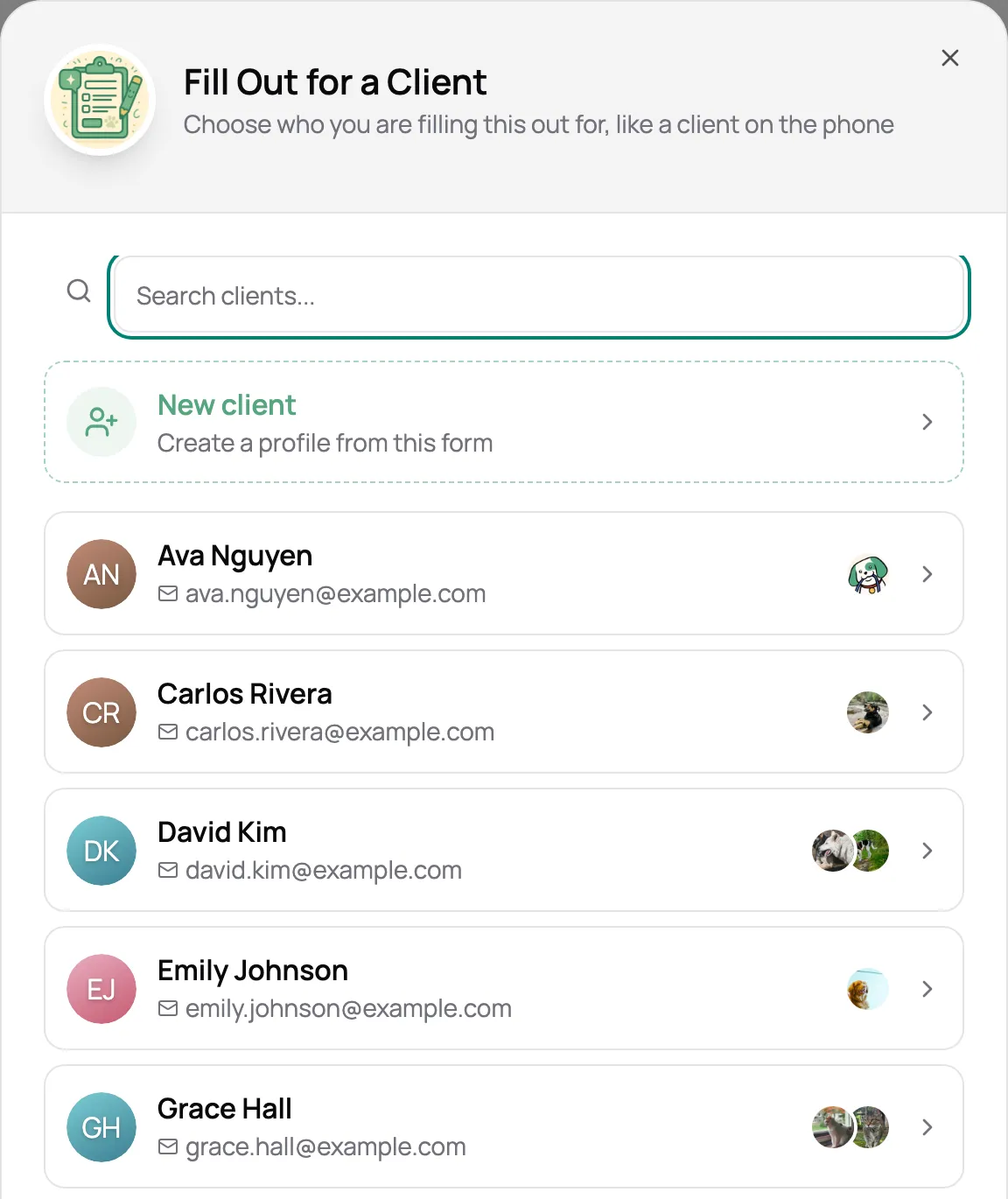
Taking a client’s details over the phone? Fill out the form for them, new client or existing, and it saves straight to their profile.
Pick the forms and the clients, add a note, and each one gets a link to fill it out.
New submissions show up with an unread count, and you get a notification for each one.
Turn pet questions off for a general inquiry form, or limit a form to the species you care for.
Forms carry your logo and brand color, and the link uses your own domain once you’ve connected one.
A new client signs up for your portal or books online, fills out your intake form, and signs your agreement on the last step. Their client and pet profiles are ready before you’ve met. Clients you add yourself get the same form with their portal invite.
Once, during their first online booking or when they sign up for their portal, whichever comes first. Clients you add get it with their portal invite, and their portal opens once it’s done. Bookings you make for a client are never held up by the form.
Give a service its own form, like one for overnight stays, and clients fill it out every time they book that service, starting from what’s already on file. You can also send any form to clients whenever you need an update. Forms per service are on the Solo Pro and Growth plans.
No. Anyone with the link can fill it out. Clients who are logged in start with their details and pets already filled in.
Yes. Attach one or more agreements, and clients sign on the last step by typing their full legal name. The signed copy is saved to their profile, and returning clients aren’t asked to sign it again.
Yes. Clients upload a record and set its expiration date, and it becomes a vaccine record on their pet. Records already on file show when they expire, so clients know when to upload a newer one.
It waits in your Submissions with everything they sent, and you get a notification. Review it, then create their profile in one click, or merge it with a client you already have.
Every account starts with a New Client Intake form. The Starter and Solo plans include one form; Solo Pro and Growth include unlimited forms, including a form for each service.