Pet Sitting Forms: 8 Documents Your Business Needs
Published on:
Feb 1, 2026

Lucas Stefanski
12 min read
You know how to care for pets. But somewhere between responding to a new client inquiry and actually showing up for the first visit, there is paperwork. Pet sitting forms keep your business organized, protect you legally, and help clients feel confident about the care you provide.
The challenge is that most pet sitters piece together their forms from random PDFs, outdated templates, and Google Docs links. Client details live in text threads. Emergency contacts get buried in email. Liability waivers never get signed because you forgot to send them.
In this guide, you will learn which pet sitting forms every professional needs, what information to collect, and how to organize your paperwork so nothing falls through the cracks. Whether you use printable templates or digital intake systems, the right forms set the foundation for a professional pet sitting business.
Why Pet Sitting Forms Matter for Your Business
Proper paperwork is not about adding bureaucracy. It is about building trust, protecting your business, and making operations smoother as you grow.
Building Client Trust Through Professional Documentation
Nearly 45% of pet owners are uncertain about pet sitter qualifications, according to data from the National Association of Professional Pet Sitters. When you show up prepared with clear forms and organized intake, you signal that you take the work seriously.
Think about it from a client perspective. If someone texts you asking for your dog's vet information versus someone who has a structured form ready, which one feels more professional? The details you collect and how you collect them shape first impressions.
Organized pet sitting forms show clients that you have a system. That system creates confidence. Confidence makes clients more likely to book, refer friends, and trust you with their pets.
Legal Protection: The Cost of Not Having Proper Forms
Pet sitting involves unpredictable situations. Dogs get into fights at the park. Cats scratch furniture. Medical emergencies happen. Without signed agreements and liability waivers, you are exposed to lawsuits that could cost thousands in legal fees alone.
A liability waiver does not eliminate all risk, but it provides a legal foundation if something goes wrong. Combined with liability insurance, a signed waiver is your best defense. According to LegalGPS, legal fees for pet sitting disputes can quickly escalate without proper documentation.
Service agreements clarify expectations around cancellations, payment terms, and what happens if a client does not provide accurate pet information. These details prevent misunderstandings that turn into disputes.
Streamlining Your Operations from Day One
When you have 5 clients, remembering that Max gets his arthritis medication at 8 AM is manageable. When you have 30 clients, tracking medication schedules, dietary restrictions, and emergency contacts without a system becomes chaos.
Pet sitting forms create consistency. Every client answers the same questions. Every pet profile includes the same details. When information is standardized and stored in one place, you spend less time searching and more time caring for pets.
Digital forms make this even more efficient. When information is collected digitally instead of on paper, you eliminate transcription errors from copying details between systems. For pet sitters, that means fewer missed medications, fewer forgotten allergies, and fewer last-minute calls asking for details you should already have.
If you want to move beyond scattered paperwork, digital intake forms can populate your client database automatically so nothing gets lost between booking and the first visit.
Essential Pet Sitting Forms Every Professional Needs
Not every form applies to every business, but these eight documents cover the foundation of professional pet care services.
1. Pet Sitting Contract or Service Agreement
A service agreement outlines what you will do, what clients can expect, and what happens if plans change. This is your baseline legal protection.
Your contract should include:
Services provided: Drop-ins, walks, overnights, medication administration, etc.
Pricing and payment terms: Rates, when payment is due, accepted payment methods
Cancellation policy: Notice required, refund terms, last-minute cancellation fees
Liability limitations: What you are and are not responsible for
Emergency protocols: What happens if the client cannot be reached
Some pet sitters use the term "contract" while others prefer "service agreement." Both serve the same function. The key is getting it signed before you start caring for pets. For more details on what to include in your contract, see our complete guide to pet sitting contracts.
If collecting signed agreements feels like an administrative burden, digital agreements let clients sign online and automatically attach signatures to their profiles so you never have to chase paperwork.
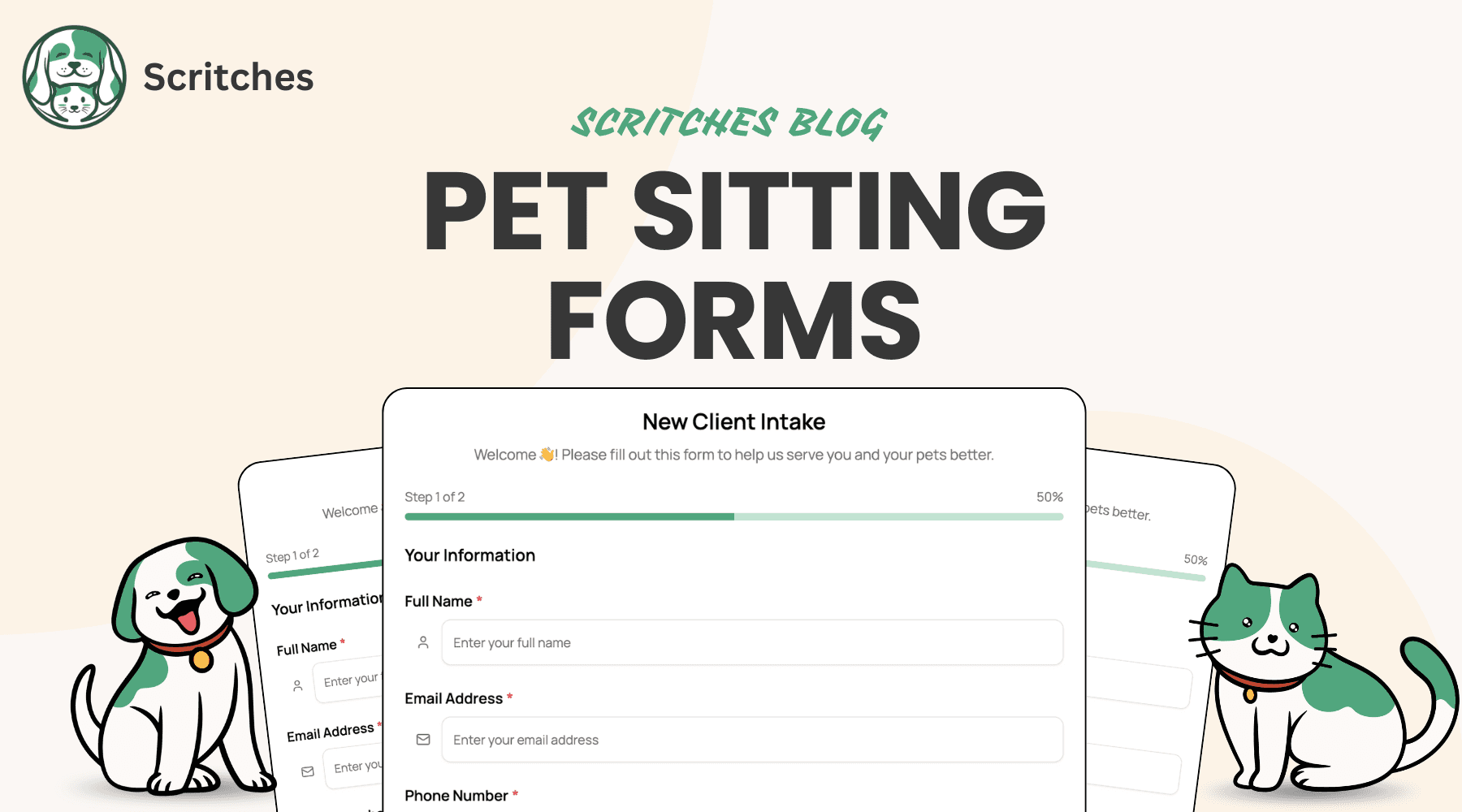
2. Client & Pet Intake Form
This is the core document that captures everything you need to know about a client and their pets. A thorough intake form reduces back-and-forth questions and ensures you have critical details before the first visit.
Include sections for:
Client contact information: Name, phone, email, address
Emergency contacts: Backup person if the client is unreachable
Pet details: Name, breed, age, weight, microchip number
Veterinarian information: Clinic name, phone, after-hours contact
Medical history: Allergies, chronic conditions, past surgeries
Current medications: Dosage, frequency, administration instructions
Dietary needs: Food brand, portion sizes, feeding schedule, restrictions
Behavioral notes: Anxiety triggers, aggression history, socialization preferences
Exercise routines: Walk duration, off-leash rules, favorite activities
A well-designed intake form becomes the single source of truth for every pet you care for. Instead of digging through old messages, everything lives in one place.
3. Liability Waiver and Release Form
Liability waivers are non-negotiable. They protect you if a pet gets injured, causes property damage, or bites another animal during your care.
Your waiver should acknowledge:
Risks inherent to pet care (bites, injuries, escapes, illness)
Client responsibility for disclosing accurate health and behavioral information
Your right to seek emergency veterinary care
Client agreement to cover costs arising from their pet's actions
State laws vary on liability waivers, so consult a lawyer familiar with your area. Some states limit enforceability, but having a signed waiver is still better than having nothing.
If a client refuses to sign a liability waiver, that is a red flag. Professional pet sitting involves risk, and clients who won't acknowledge that may not be a good fit.
4. Veterinary Release Form
This document authorizes you to seek emergency medical treatment if the client cannot be reached. Without it, some veterinary clinics may refuse care or delay treatment.
Include:
Authorization to seek emergency care
Veterinarian of choice (primary and after-hours clinic)
Spending limit for emergency treatment (if applicable)
Client agreement to cover veterinary costs
Some pet sitters include this authorization within the main service agreement. Others use a separate form. Either approach works as long as you have written permission to make medical decisions.
5. Emergency Contact Form
Emergencies happen. You need backup contacts beyond the client, especially for extended trips.
Collect:
Primary emergency contact (name, phone, relationship to client)
Secondary emergency contact
Veterinarian contact (business hours and after-hours)
Pet poison control hotline
Home alarm code and instructions
Utility shut-off locations (if relevant for emergencies)
This form should be easy to access quickly. If you are dealing with a pet emergency at 2 AM, you do not want to search through email for a phone number.
6. Key Release and Home Access Agreement
This form documents key exchange and home access details. It protects both you and the client by creating a clear record.
Include:
Key pickup and return process
Alarm codes and disarm instructions
Gate codes or lockbox combinations
Home entry instructions (lock deadbolt, turn on specific lights, etc.)
Acknowledgment that you will secure the home after each visit
This is especially important for overnight stays where you will be in a client's home for extended periods. Clear documentation prevents disputes about missing keys or home security concerns.
7. Medication Administration Log
If you administer medications, keep a written record of what was given and when. This protects you if a client claims a dose was missed and provides documentation for your own peace of mind.
Track:
Date and time of administration
Medication name and dosage
Method of administration (mixed with food, pill pocket, etc.)
Any issues (pet refused, vomited, etc.)
Some pet sitters use a physical log left at the client's home. Others track this digitally. The format matters less than consistency. If you say you gave medication, you should be able to prove it.
8. Inquiry or Lead Form
An inquiry form is becoming a standard part of professional pet care businesses. This form captures basic information when someone first reaches out, before they commit to a full intake or meet-and-greet.
Include:
Contact information (name, phone, email)
Service interest (drop-ins, walks, overnights, boarding)
Pet basics (type, breed, number of pets)
Preferred dates or general timeline
How they found you
Any initial questions or concerns
The inquiry form serves two purposes. First, it qualifies leads so you can prioritize serious prospects over casual browsers. Second, it starts building the client profile before the formal intake, making the later process smoother.
Many pet sitters use inquiry forms on their website or booking page to replace the "send us an email" approach. When someone submits an inquiry, you already have structured information instead of starting from scratch. The lighter ask also reduces friction for potential clients. Filling out a quick inquiry form with basic details feels easier than committing to full intake paperwork, which means fewer people drop off before you even have a conversation. You can always collect the detailed intake information later, once they decide to move forward.
Free Printable Pet Sitting Forms vs. Digital Form Software
Most pet sitters start with free templates, and that is fine for the first few clients. But as you grow, the limitations of paper forms become clear.
The Limitations of PDF Templates
Printable forms work, but they create friction:
Manual data entry: You collect a PDF, then copy details into your calendar, notes app, or spreadsheet. That is double work.
Lost paperwork: Physical forms get misplaced. Digital PDFs live in email threads you will never find again.
Inconsistent collection: It is easy to forget to send a form or skip a signature when everything is manual.
No centralized storage: Client information lives in ten different places, and you waste time searching for it.
The biggest issue is that forms exist in isolation. You collect information, then you have to do something with it. For one or two clients, that is manageable. For 20 clients, it is chaos.
Benefits of Digital Pet Sitting Forms
Digital forms solve the friction points:
Automatic population: Form submissions flow directly into client and pet profiles without copying and pasting.
Accessible anywhere: No digging through filing cabinets or email. Everything lives in one system.
Client convenience: Clients can fill out forms on their phone before the meet-and-greet instead of during it.
Professional appearance: A polished digital intake process signals that you run a real business.
Integration with workflows: Forms connect to scheduling, agreements, and invoicing instead of existing as standalone documents.
That last point is the biggest differentiator. Paper forms are endpoints. Digital forms are starting points. When a client fills out an intake form, that information should populate their profile, trigger a booking confirmation, and attach to their pet records automatically.
If you want forms that work with your business instead of creating extra steps, client intake systems designed for pet care handle the workflow so you can focus on the actual work.
When to Use Each Approach
Printable forms make sense if:
You are just starting and only have a few clients
Your clients prefer paper or are not comfortable with technology
You already have a system that works and do not want to change it yet
Digital forms make sense if:
You are managing 10+ clients and losing track of details
You want to spend less time on admin and more time with pets
You are tired of digging through messages for client information
You want a more professional client experience
You do not have to switch everything at once. Some pet sitters start with digital intake forms and keep everything else the same. Others gradually phase in digital agreements and invoicing as they grow. There is no single right answer.
What to Include in Your Pet Sitting Intake Form
Your intake form is the most important document you will use. Here is what to include in each section.
Client Information Section
Collect enough contact details to reach the client in multiple ways:
Full name
Phone number (mobile preferred)
Email address
Home address
Preferred contact method
Pet Profile Details
For each pet, gather:
Name
Species and breed
Age and date of birth
Weight
Microchip number
Spay/neuter status
Photo (helps you identify the right pet)
Daily Care Requirements
Understand the routine:
Feeding schedule and portion sizes
Food storage location
Treat preferences and restrictions
Exercise needs and preferences
Bathroom routine (outdoor vs. litter box)
Sleep location and bedtime routine
Medical Information and Medications
This is critical for safety:
Current medications (name, dosage, frequency, method)
Allergies (food, environmental, medication)
Chronic conditions or ongoing health issues
Recent surgeries or injuries
Veterinarian contact information
Pet insurance details
Behavioral Notes and Special Instructions
Clients know their pets best. Capture that knowledge:
Personality traits (shy, energetic, anxious)
Triggers (doorbells, other dogs, loud noises)
Aggression history
Socialization preferences
Quirks and preferences (favorite toys, comfort items)
What to do if the pet seems stressed
Home Access and Security Information
For safe and smooth visits:
Alarm code and instructions
Lockbox or key location
Gate codes
Parking instructions
Specific entry and exit procedures
Mail and package handling preferences
The more detail you collect up front, the fewer surprises you encounter during visits. A thorough intake form prevents the "I didn't know Max bites when startled" moments that create problems.
How to Collect Pet Sitting Forms From Clients
Having the right forms is one thing. Getting clients to actually fill them out is another.
Timing: When to Send Forms
You have three options:
Before the meet-and-greet: Clients complete forms when they request a consultation. You review details before meeting.
After the meet-and-greet: You meet first, then send forms for clients who want to book.
After booking confirmation: Clients book, pay a deposit, then complete intake and agreements.
Option 1 is most efficient. Clients who are not serious drop off early, and you show up to meet-and-greets prepared. Option 2 wastes less time on tire-kickers. Option 3 works if you want to keep the initial booking process as simple as possible.
There is no perfect answer, but sending forms too late is a common mistake. If a client books an overnight starting tomorrow and you still need emergency contacts and medication details, that is a problem.
In-Person vs. Digital Collection
Some clients prefer filling out forms in person during the meet-and-greet. This works but eats into your time together. You want to spend that meeting observing pets and building rapport, not watching someone fill out paperwork.
Digital collection lets clients complete forms on their own time, often on their phone while thinking about their pets. You can review submissions before the meeting and spend the actual visit focused on the pets.
If you offer a client portal, clients can update their information whenever it changes instead of waiting for you to send an updated form.
Making Forms Required vs. Optional
Some forms should be required before you provide services:
Service agreement (legal protection)
Liability waiver (legal protection)
Basic intake form (operational necessity)
Other forms can be optional or situational:
Medication logs (only if administering medication)
Extended stay instructions (only for overnights or boarding)
Do not make everything optional. Clients will skip forms they think do not matter, then call you at 9 PM asking what their dog eats for dinner because they forgot to write it down.
Following Up on Incomplete Forms
Clients forget to complete forms. Send reminders:
24 hours after sending: "Quick reminder to complete your intake form before our meet-and-greet."
3 days before service starts: "We still need your emergency contact and vet information before we can confirm your booking."
If a client consistently ignores forms, that is a yellow flag. Clients who will not provide basic information often create other problems.
Organizing and Storing Pet Sitting Paperwork
Collecting forms is step one. Organizing them so you can actually find information is step two.
Digital Storage Best Practices
If you use paper or PDF forms, create a clear filing system:
One folder per client
Consistent naming: "LastName_FirstName_IntakeForm_2026"
Backup files to cloud storage (Google Drive, Dropbox, iCloud)
Store in a secure location (password-protected)
If you use a client and pet CRM, forms attach to profiles automatically and you skip the manual filing process entirely.
Client Record Organization
Decide how you will organize client information:
Alphabetically by last name
By service type (overnights vs. drop-ins)
By booking frequency (active vs. inactive)
The structure matters less than consistency. Pick a system and stick with it.
What to Keep and For How Long
Keep signed agreements and liability waivers for at least 3-5 years after the last service. Some legal claims can be filed years later, and you need documentation.
For intake forms, keep the most recent version and archive older ones. If a client updates their pet's medication, you do not need the version from 2 years ago, but it does not hurt to keep it.
Privacy and Data Protection Considerations
You are storing sensitive information: addresses, alarm codes, emergency contacts. Protect it.
Use password-protected systems
Do not share client details publicly (even anonymized stories can sometimes be identified)
Follow basic data security practices (strong passwords, two-factor authentication)
Understand local privacy laws if applicable
Clients trust you with their home and pets. Do not give them a reason to regret that trust by being careless with their information.
Common Mistakes Pet Sitters Make With Forms
Avoid these pitfalls that create problems down the road.
Skipping the Liability Waiver
This is the most expensive mistake. "I trust my clients" is not a legal defense. One incident without a signed waiver can cost thousands in legal fees, even if you did nothing wrong. Get every client to sign a liability waiver before the first visit. No exceptions.
Collecting Forms Too Late in the Process
You should have signed agreements and intake details before you confirm a booking, not the day before service starts. Scrambling for information at the last minute creates stress and increases the chance of mistakes.
Not Updating Client Information Regularly
Pets age. Medications change. Clients move. Emergency contacts switch jobs and get new phone numbers. Ask clients to review and update their information at least once a year. For clients you see frequently, a quick check-in every 6 months makes sense.
Missing Emergency Authorizations
Imagine a pet emergency at 2 AM. The client is unreachable on a flight. The vet asks if you are authorized to approve treatment. If the answer is "I don't know," that is a failure. Get veterinary release forms signed so you can make decisions in emergencies. Waiting until an emergency happens is too late.
Taking Your Pet Sitting Forms Digital: Next-Level Client Onboarding
If your current paperwork process feels disjointed, going digital is not about replacing PDFs with screens. It is about connecting the pieces so information flows automatically instead of requiring manual work at every step.
Embedding Forms Into Your Booking Process
The best client experience is seamless. A potential client finds your services, sees pricing and availability, requests a booking, completes intake, signs agreements, and confirms, all in one flow. No back-and-forth emails. No separate links for every step.
When forms are embedded into booking, clients complete everything upfront. You get the information you need before committing to a visit. Fewer drop-offs. Fewer last-minute scrambles. More time spent caring for pets instead of chasing paperwork.
If you want to see what that looks like in practice, online booking with embedded intake removes friction for both you and your clients.
Connecting Forms to Agreements and Signatures
Intake and agreements should not live in separate tools. When a client completes their pet's profile, they should move directly to signing your service agreement and liability waiver. One flow. No gaps.
Digital signatures make this possible. Clients sign on their phone, signatures attach to their records, and you never have to wonder if someone actually signed your waiver.
Automated Workflows: From Form Submission to First Visit
Here is what should happen when a client fills out your intake form:
Form data populates their client and pet profiles automatically
Signed agreements attach to their account
Booking confirmation sends
You receive a notification with all the details you need
After the visit, report cards or follow-ups trigger based on your settings
That is not theoretical. That is how integrated systems work. You set it up once, and it runs without manual intervention.
The alternative is copying details from a PDF into a spreadsheet, then into your calendar, then emailing yourself reminders, then manually tracking who signed what. That might work for 5 clients. It breaks at 20.
Frequently Asked Questions
Do I legally need pet sitting forms?
While laws vary by location, liability waivers and service agreements provide essential legal protection. Most professional pet sitters treat them as non-negotiable. Consult a lawyer in your area to understand your specific requirements.
Can I create my own pet sitting forms?
Yes, but use caution. Free templates give you a starting point, but generic forms may not address your specific services or local laws. At minimum, have a lawyer review your service agreement and liability waiver.
Should I charge clients for not having forms completed?
Rather than penalizing clients, build form completion into your process. Make agreements and intake required before booking confirmation so there is no confusion. If a client repeatedly books without completing paperwork, that is a different conversation about whether they are a good fit.
How often should I update client forms?
At least once per year, or whenever a client's situation changes. Pets develop new health issues, medications change, and emergency contacts switch phone numbers. Treat annual updates as part of professional service.
What happens if a client refuses to sign a liability waiver?
Do not provide services. If someone will not acknowledge the inherent risks of pet care, that is a red flag. Professional pet sitting involves unpredictable situations, and clients who refuse waivers often cause problems later.
Conclusion
Pet sitting forms are not paperwork for the sake of paperwork. They protect your business, organize your operations, and build client trust. Whether you use printable templates or digital systems, the key is consistency.
Start with the essentials: a service agreement, liability waiver, and thorough intake form. As you grow, add forms that match your services and workflows. If manual processes start slowing you down, digital forms can save hours every week and reduce the mistakes that come from scattered information.
Your clients trust you with their pets and homes. The right forms show that you take that responsibility seriously.
If you are ready to move beyond PDFs and disconnected tools, Scritches connects intake, agreements, scheduling, and client records so you can spend less time managing paperwork and more time doing the work you actually care about.